Parish software for Catholic parishes
One app for the whole parish.
Antiphona gives families, staff and volunteers one place to register, pay, sign up and stay in touch. It runs in a web browser, in English and Spanish, and it changes to fit how your parish works.
Screenshots show a sample parish. All names and data are invented.
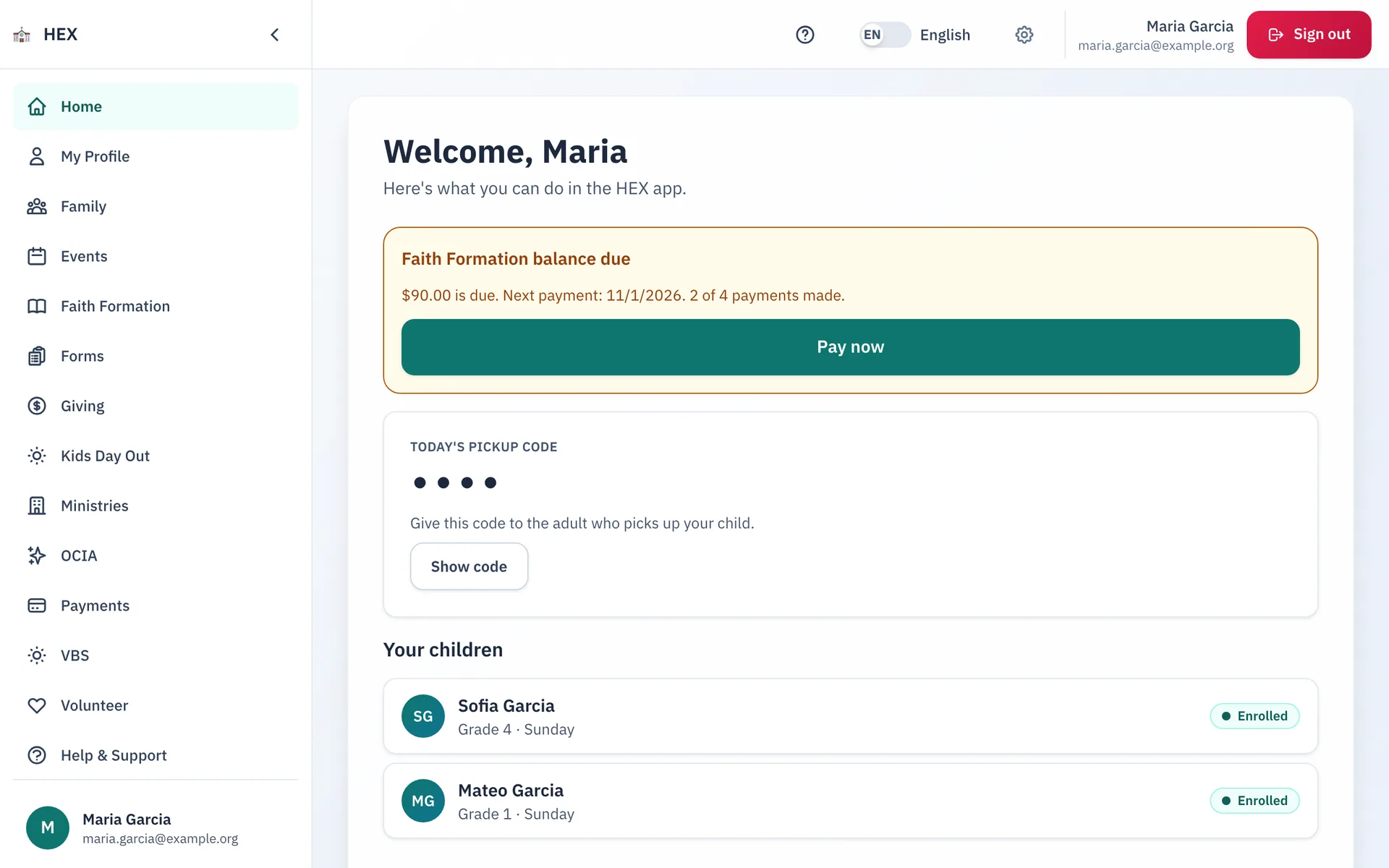
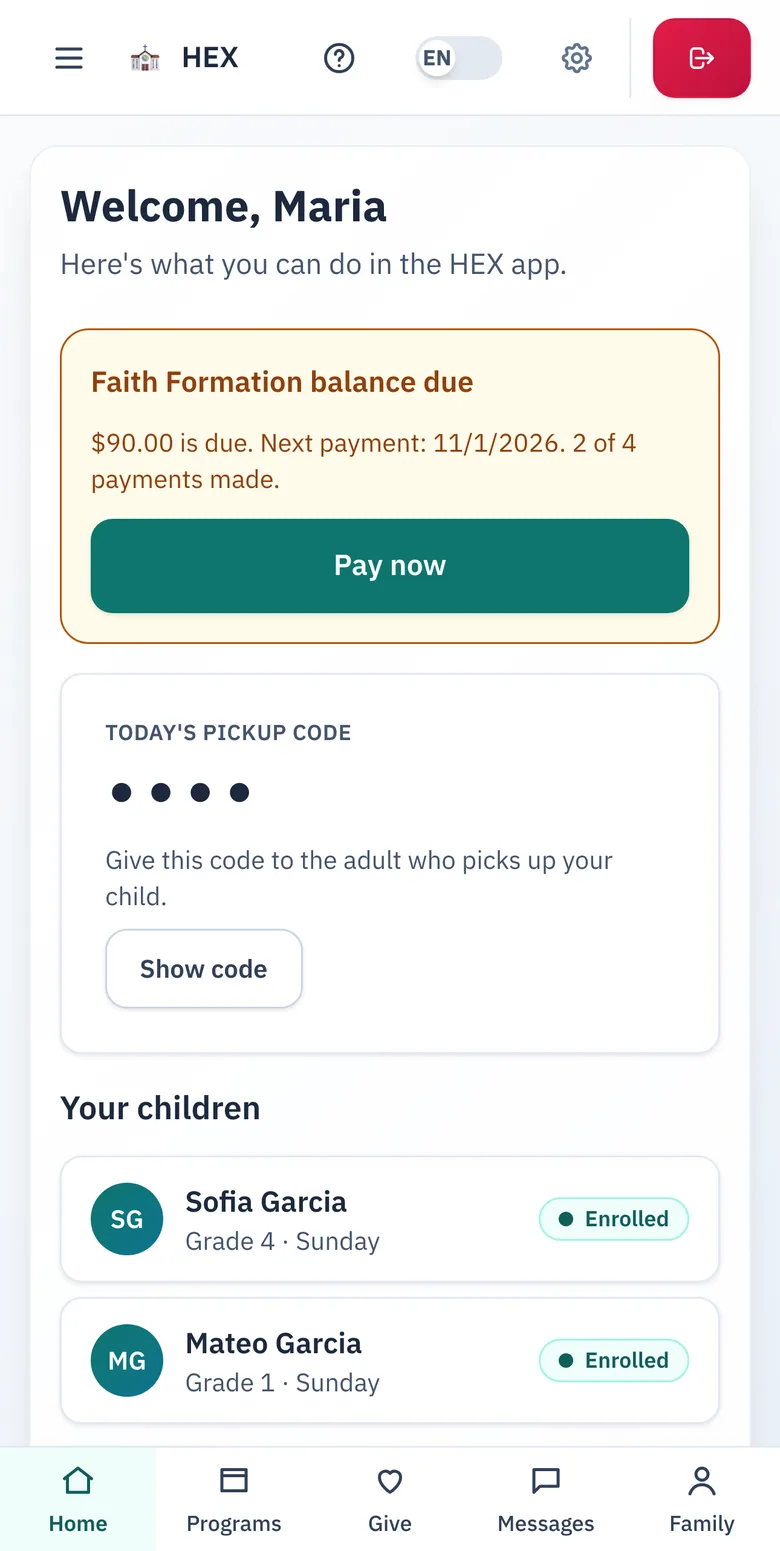
Made for the three groups who keep a parish running.
Each group sees the screens that fit its work, and nothing else.
Families
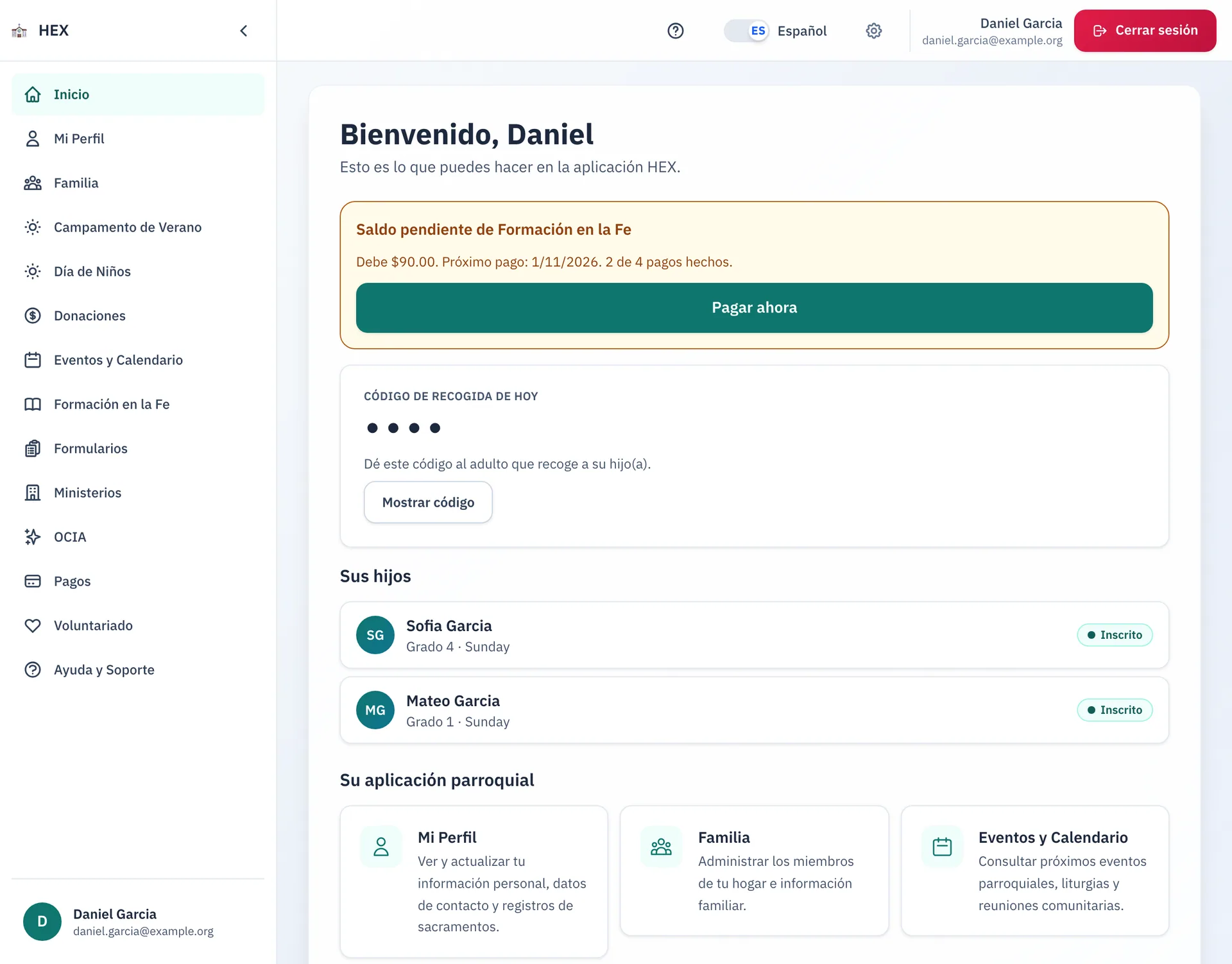
Register a child, pay a fee, sign up to serve, and see what the parish needs from you. It is all on one home screen.
Parish staff
Each ministry has its own admin tools. Staff see only the records that their role allows.
Leaders and volunteers
Ministry leaders message their members. Volunteers sign up for shifts, check in, and swap with a friend.
Made to fit
Every parish is different. Antiphona changes with you.
Our modules start from how Catholic parishes work. They follow the sacraments, the liturgical year and safe environment practice. But no two parishes run alike. You do not change to fit Antiphona. Antiphona changes to fit you.
Your forms, your rules
Build forms with conditions, limits, fees and waivers, in English and Spanish. Change them the day your process changes.
Your roles and approvals
Choose who can fill out, approve and run each part. Each admin role opens only its own tools.
Your way to run a ministry
Run volunteers by sign-up or by assignment. Set the requirements people meet first. Offer payment plans and discount codes.
Your own modules
When a process is yours alone, we build it on the same foundation, with the same sign-in, roles, payments and languages.
Steady underneath
Family records, sign-ins and payments stay in one place as you add modules and change settings.
Grows with the year
Change a form in Lent. Add a module before Advent. The defaults are a starting point, not a cage.
Modules for the work of a parish.
A parish turns on the modules it needs. Every module has screens for families and tools for staff.
Faith and formation
Programs that form children, youth and adults in the faith.
- Faith FormationRegistration, classes, attendance and sacrament preparation for every child.
- OCIAA guided path for adults and children who are joining the Church.
- Kids Day OutAn early childhood day program, from enrollment to the daily report.
- Vacation Bible SchoolCamper registration, volunteers and check-in for the summer program.
Community and service
Ministries, volunteers, events and care for one another.
- MinistriesA directory of ministries, with messages and tools for each leader.
- VolunteerFind a way to serve, sign up for a shift and swap with a friend.
- EventsThe parish calendar, with search, filters and a page for each event.
- ConferencesRetreats and conferences, with a deposit and a balance.
- Outreach and CarePrayer requests, home blessings and visits in one queue.
Connect and support
Messages, forms, help requests and a way in for guests.
Money
Gifts, fees and payments, recorded in one place.
The foundation
Accounts, families and the shared base that every module builds on.
The foundation
One foundation. Every module shares it.
Each module plugs into the same base. A parish adds a module, and it works with the people, sign-in, payments and languages that are already there. Custom modules join the same ecosystem.
One family record
Every module reads the same account and household. A family never enters its details twice.
One sign-in, fitted roles
People sign in once. Each admin role opens only its own tools, in every module.
One payment record
A fee in any module uses the same checkout and the same ledger. Staff see what a family owes in one place.
One voice to families
Every module sends through the same messages. Consent choices and the delivery log apply everywhere.
English and Spanish
Every module follows the language that a family chooses.
A shared module ecosystem
A new module inherits all of this on day one. Built-in, partner and custom modules share one base and one set of rules.
Faith Formation
From registration to First Communion.
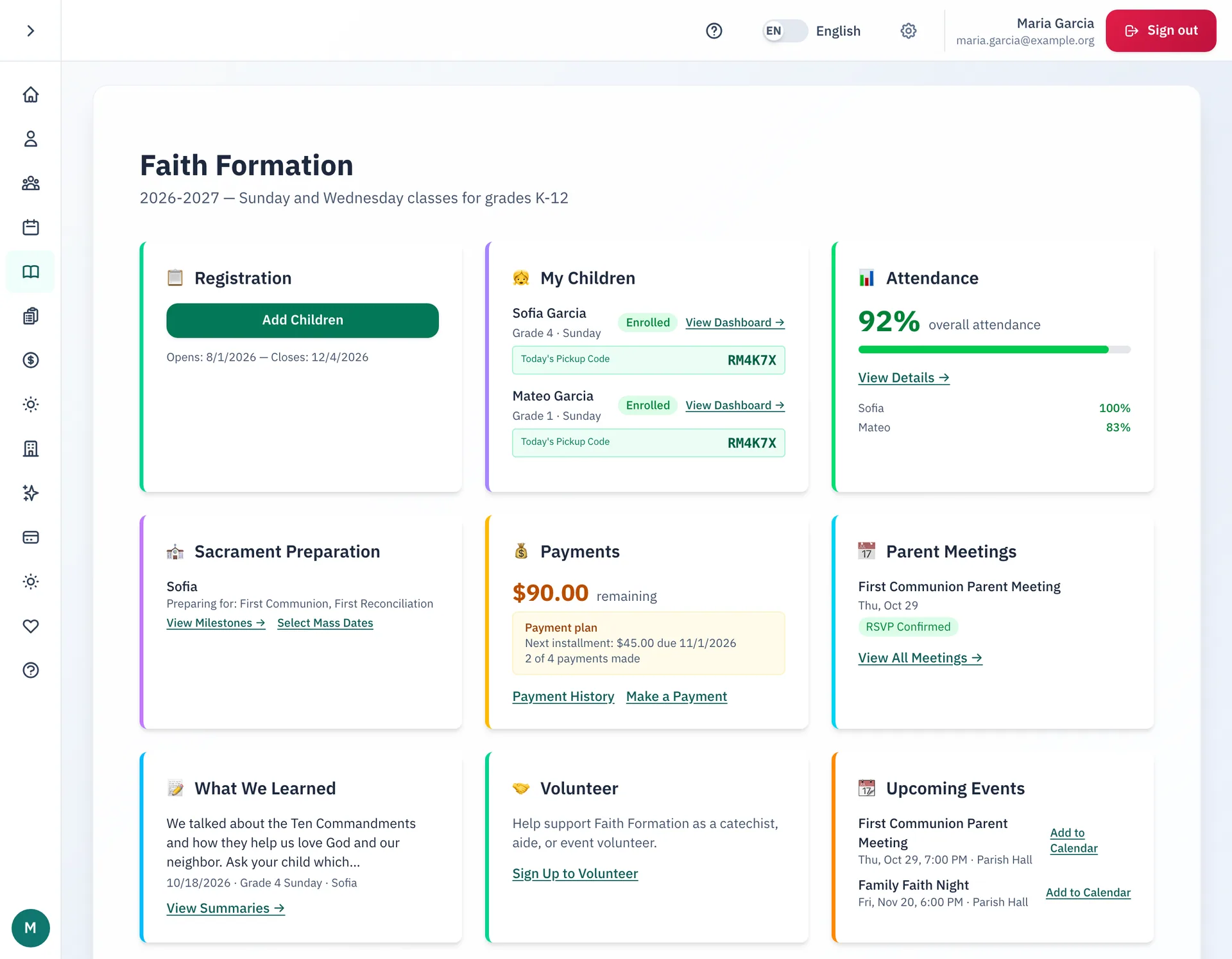
Families register each child and pay online. Staff place children in classes, take attendance and follow each child's sacrament preparation.
- Families register and pay in one visit, in full or on a payment plan.
- Volunteers check children in and out at a class kiosk with a family pickup code.
- Staff follow sacrament preparation and review the certificates that families send in.
Forms
Build a form. Send the answers where they belong.
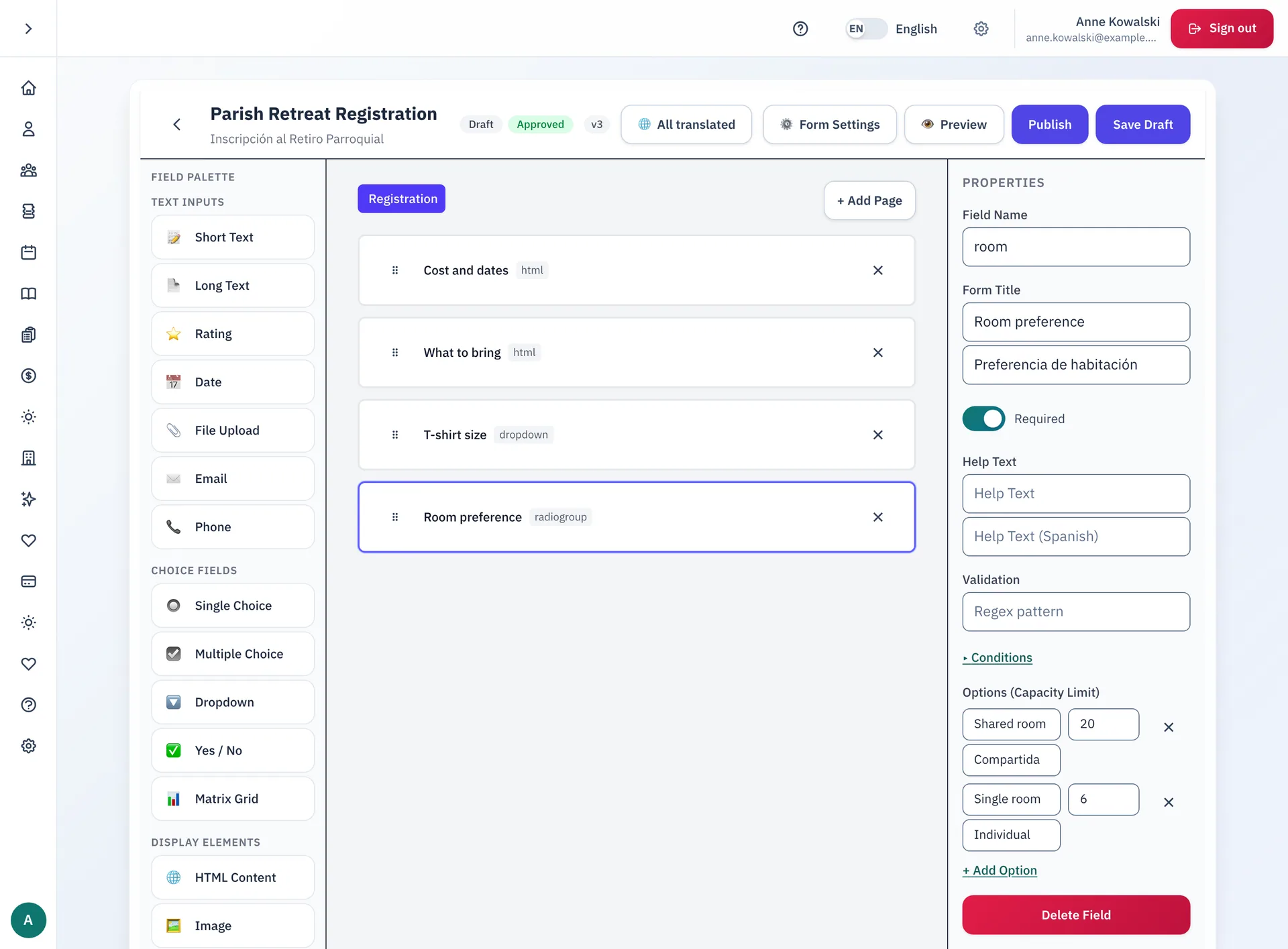
Staff build forms in English and Spanish, with rules, waivers and fees. Each answer can flow on to the tools the office already uses.
- Show a field only after a chosen answer, and limit places on any choice.
- Collect fees and waivers in the same form. Approvals happen before a form goes live.
- Send each answer to an Excel workbook, a SharePoint list or a signed web event. A failed send tries again.
- Or save it as a row in a Dataverse table, the parish database, with each column matched to a question.
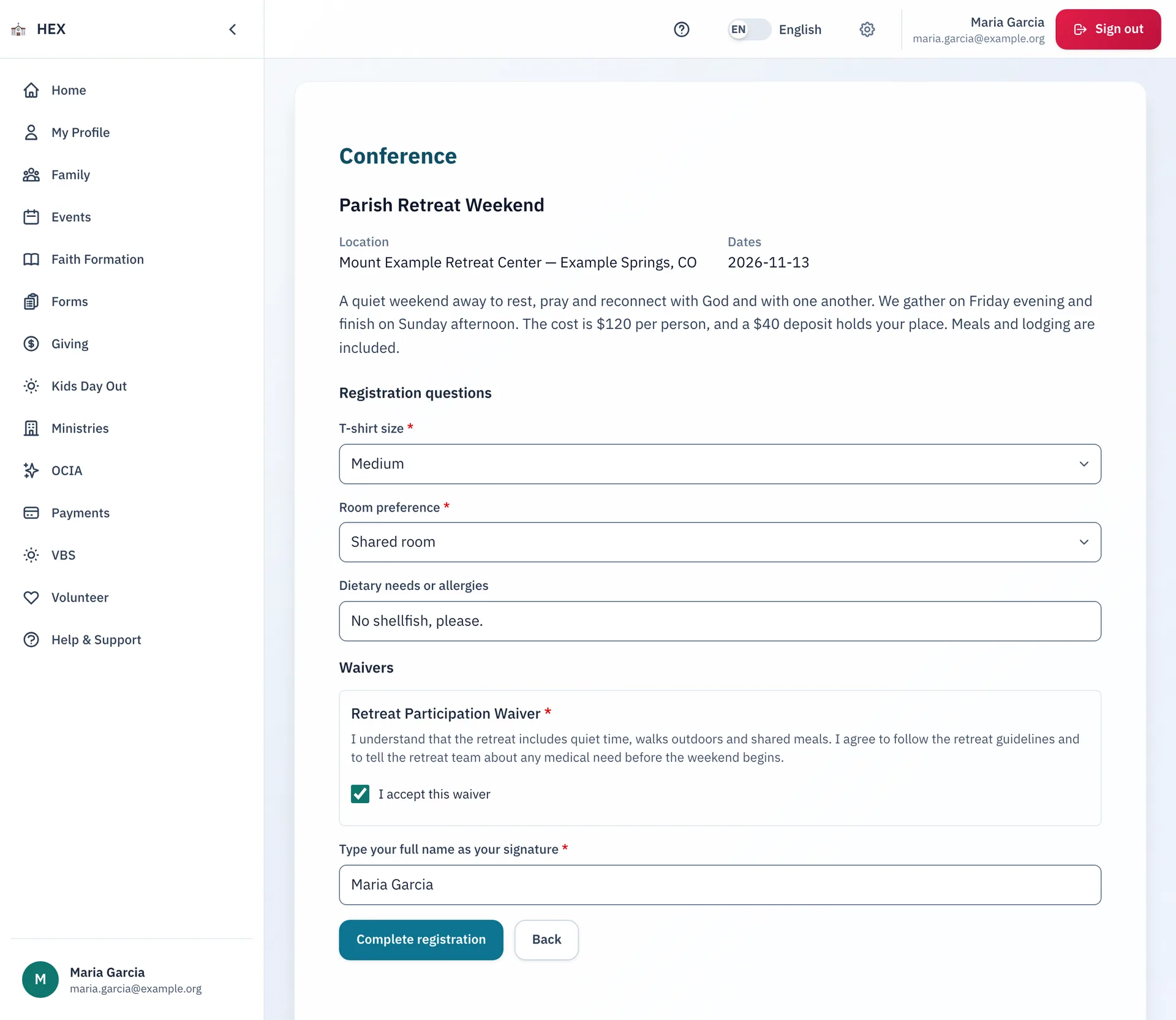
Conferences
Retreats and trips, from sign-up to check-in.
A conference has its own roles, prices, waivers and waitlist. Families register, pay a deposit, then pay the balance on a plan.
- The waitlist moves up by itself when a family cancels.
- Chaperones confirm the Safe Environment policy. Staff approve each one.
- Staff plan cabins and groups, and check people in at the door.
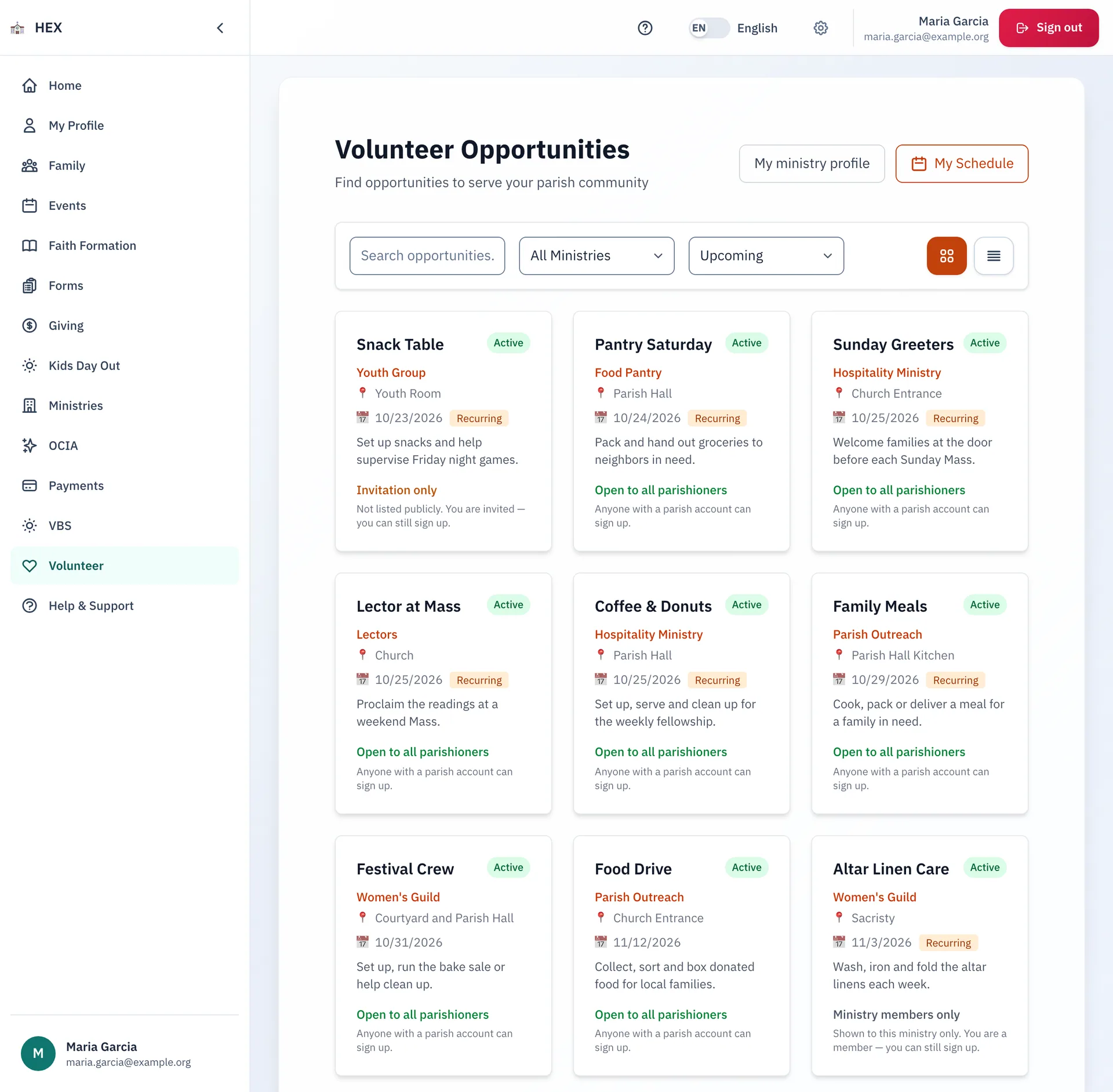
Volunteer
Fill every shift, and the Masses too.
Ministries run in sign-up mode or in assigned mode. Volunteers pick, swap and check in from a phone.
- Set requirements, such as safe environment training, before a person can sign up.
- A volunteer can ask someone to cover a shift, and that person answers by text.
- Leaders build the Mass schedule on a grid. Nothing goes out until they publish.
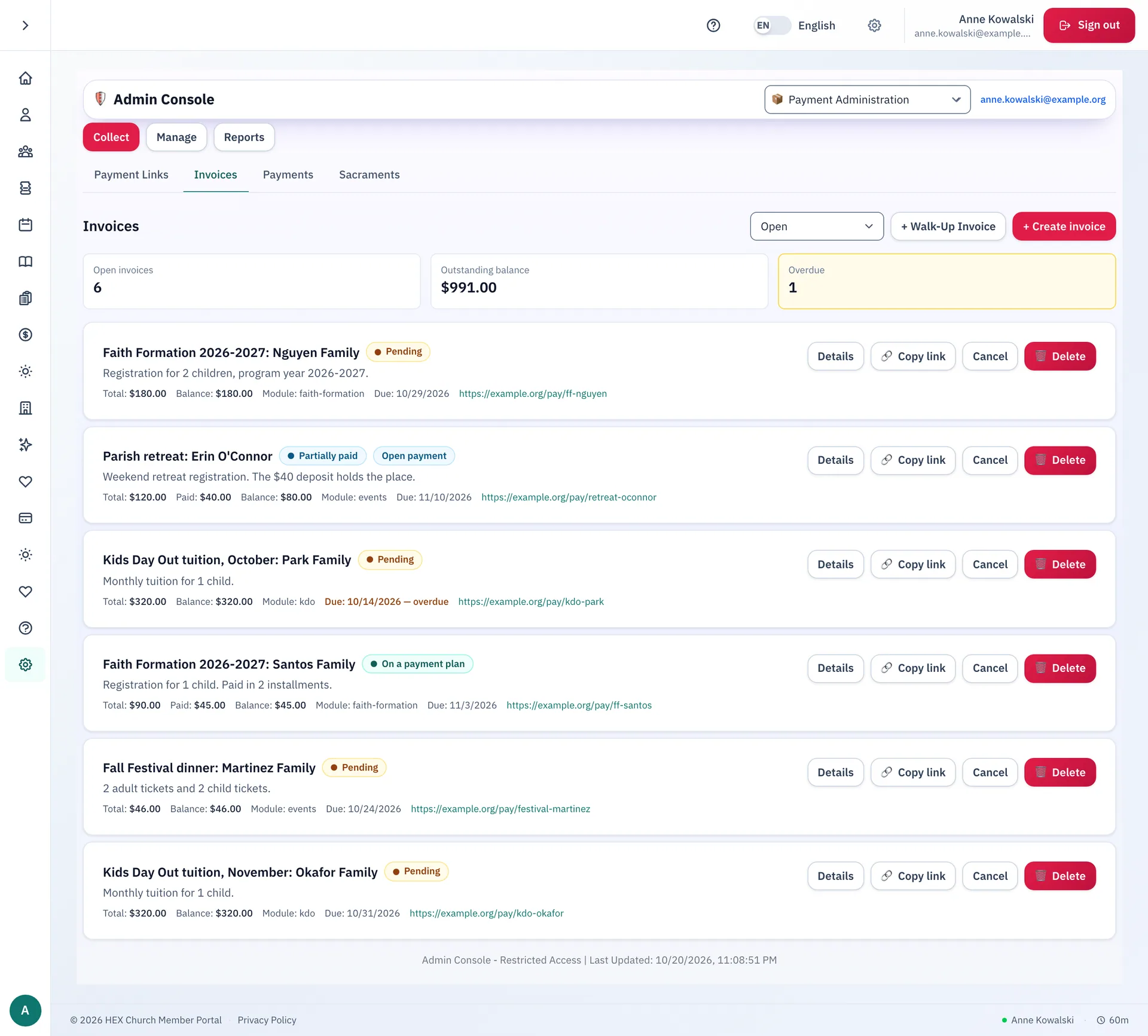
Payments
Every payment in one place.
Cards, cash and checks all land in one record. Staff see what each family owes and what the parish received.
- Send a payment link or an invoice. Families pay online by card.
- Set up payment plans and discount codes.
- Match card sales to Stripe, and export reports to a spreadsheet.
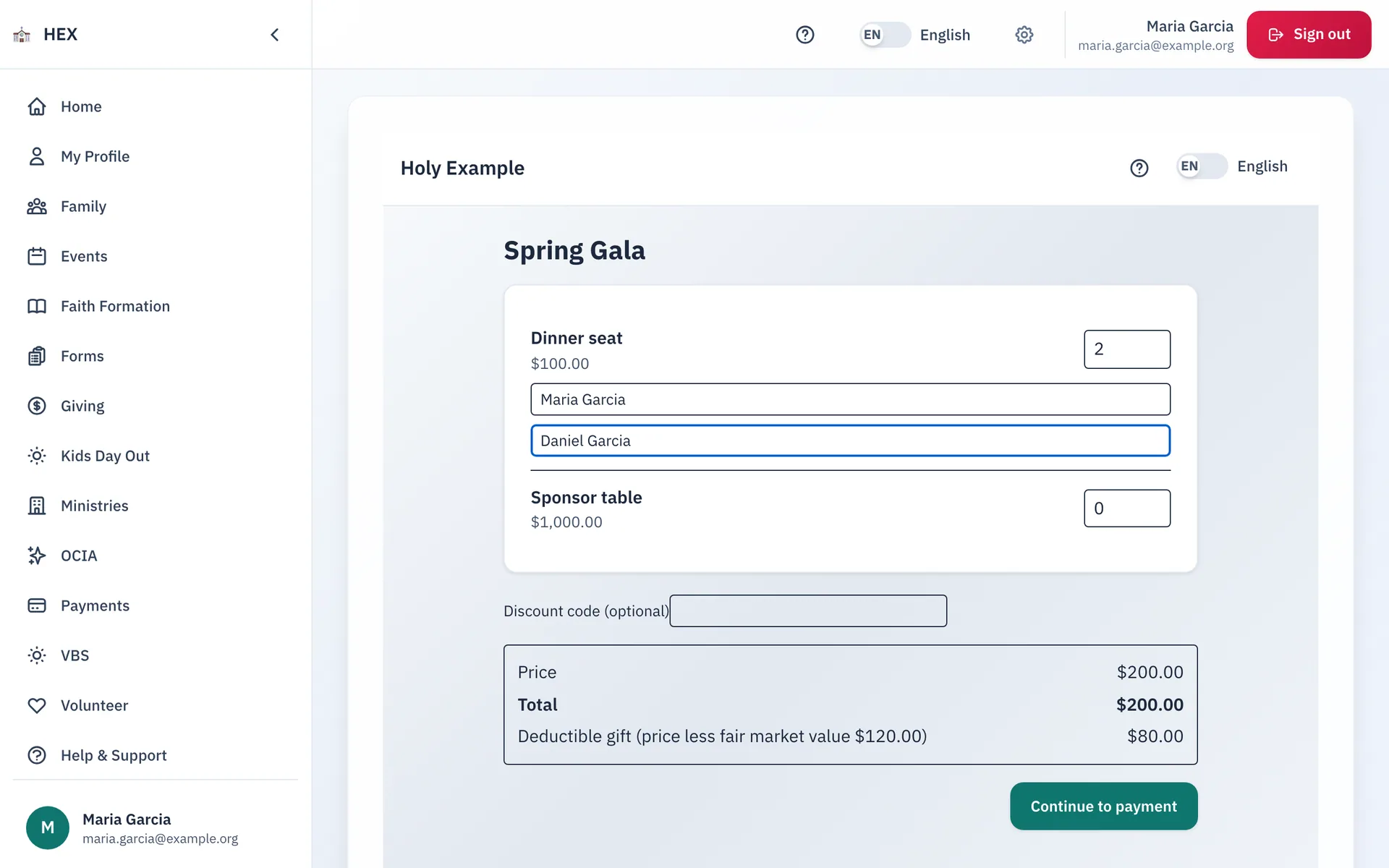
Ticket sales
Sell the gala. Send a receipt that is right.
Sell tickets to a dinner, a gala or a fish fry. Guests do not need an account, and the door team checks them in with a QR code.
- Every receipt shows the fair market value and the deductible amount.
- A sponsor buys a table, then names the guests through a private link.
- Volunteers check guests in on a tablet. Staff can also sell at the door.
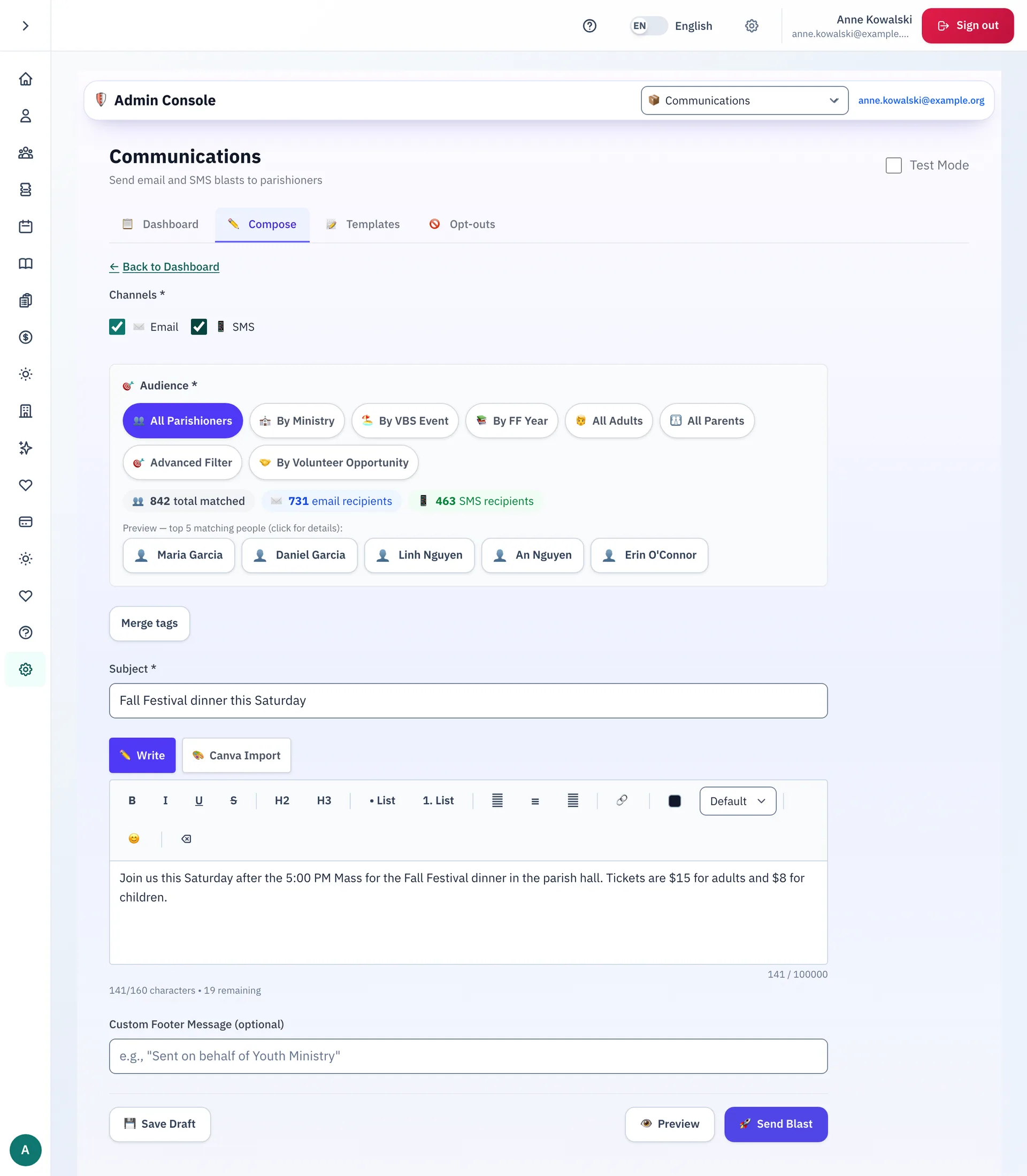
Communications
Reach the right people, the right way.
Write one message. Choose who gets it. Send it by email or by text.
- Choose who gets it, from the whole parish to one program.
- Families choose what they receive. Unsubscribe and STOP requests are honored.
- Every message goes in a delivery log, so staff can see what happened.
Bilingual
English and Spanish, side by side.
Families choose English or Spanish. The screens, the forms and the messages the parish sends follow that choice.
More than a set of modules.
Antiphona fits the systems and the habits your parish already has.
Works with your systems
Keep what you use. Connect Stripe, Microsoft 365, the Power Platform, Zapier and more.
Modern sign-in
Passkeys, multi-factor sign-in and your own identity provider.
AI that assists
It reads and drafts. Staff review everything before it changes.
Made to fit
Settings, forms and modules shaped to your parish, and built to order when you need more.
Works alongside
We honor the tools your parish already uses, and we connect to them.
Built with a parish
Made with one of the largest parishes in the country.
Antiphona grew out of daily work in a very large Catholic parish. Its staff, catechists and volunteers used each module and shaped it. Your parish gets software that has met a real crowd.
Careful with parish information.
A parish keeps records about children, sacraments and gifts. Antiphona treats them that way.
Safe sign-in
Families sign in with a password or a passkey. Staff accounts use multi-factor sign-in.
Roles that fit the work
Each admin role opens only its own tools. The app records who changed a record, and when.
Children's records
A parent or guardian creates a child's record, and can see it and correct it.
No ads. No trackers.
The app shows no ads. It runs no third-party analytics service and no third-party tracker. Parish data is never sold.
Works with the tools you already use.
Antiphona connects to services that parishes already trust.
- Card payments through Stripe
- Text messages through Twilio or any SMS provider
- Microsoft 365: SharePoint, Excel, Outlook and Teams
- Dataverse and the Power Platform
- Zapier, Make and Power Automate
- QuickBooks-ready reports
- eSPACE calendars
- Verkada door schedules and badges
- Any email provider: we connect it
- Two-way sync with your parish system: we connect it
- Hosted on Microsoft Azure
Want Antiphona at your parish?
Email us. We will listen to what your parish needs, and show you how Antiphona would work.