Modules / Money
Ticket sales
Sell tickets to the gala, with the tax receipt done right.
- Parishioners
- Guests
- Parish office
- Finance staff
- Volunteers
A parish dinner needs a ticket list, a seating plan, a door team and a receipt that the tax rules accept. Ticket sales is part of Payments. It gives the parish office one place to do all four.
Tax-correct receipts
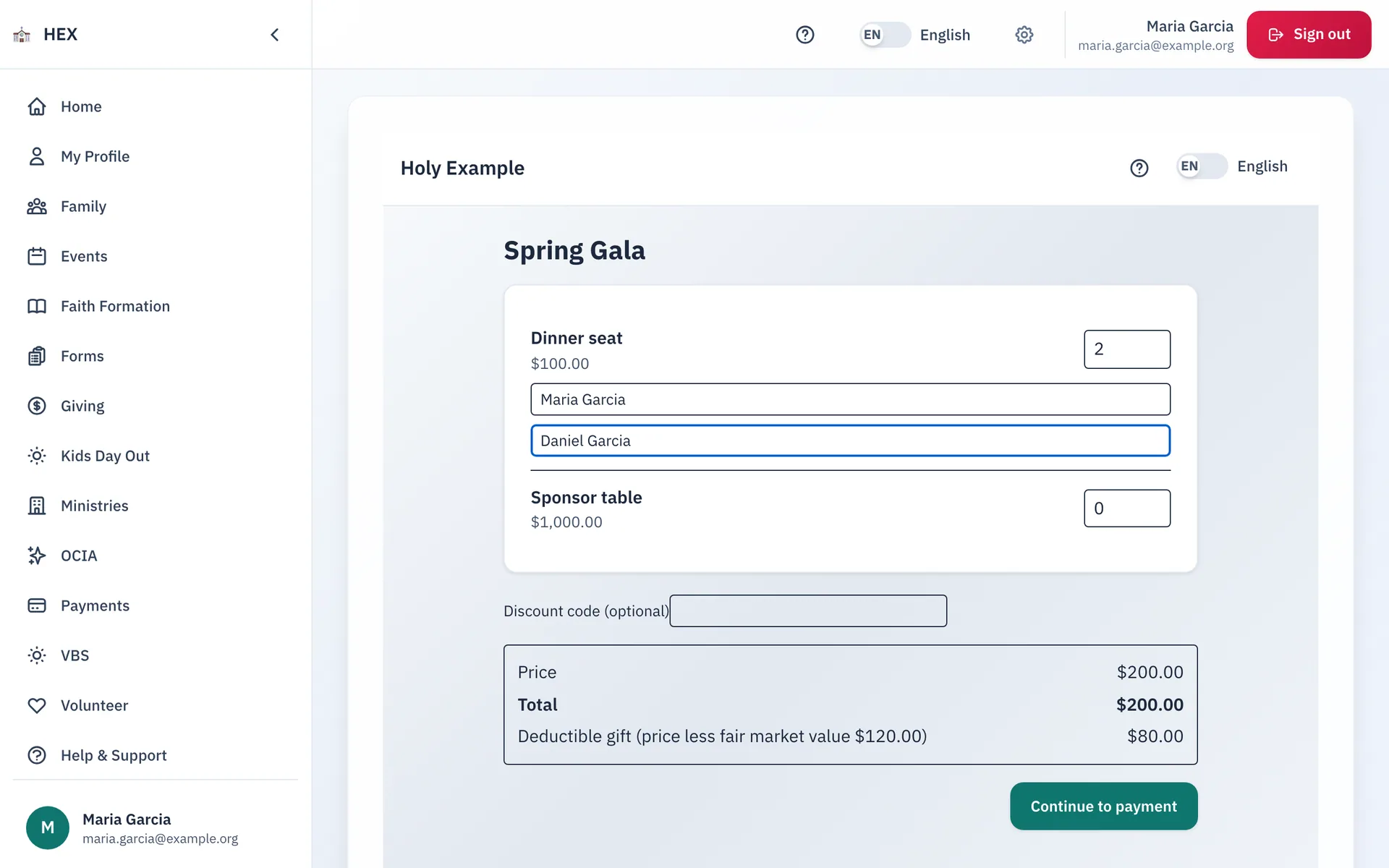
A gala ticket often buys a meal as well as a gift. The part that buys the meal is not deductible. The IRS asks the parish to say so.
- Staff set a fair market value on each ticket type. This is the value of what the guest receives.
- When the price is above that value, the receipt prints: "Fair market value $X. The deductible amount is $Y."
- The same line prints on the receipt for a cash or check payment.
- The order summary shows the deductible gift before the buyer pays.
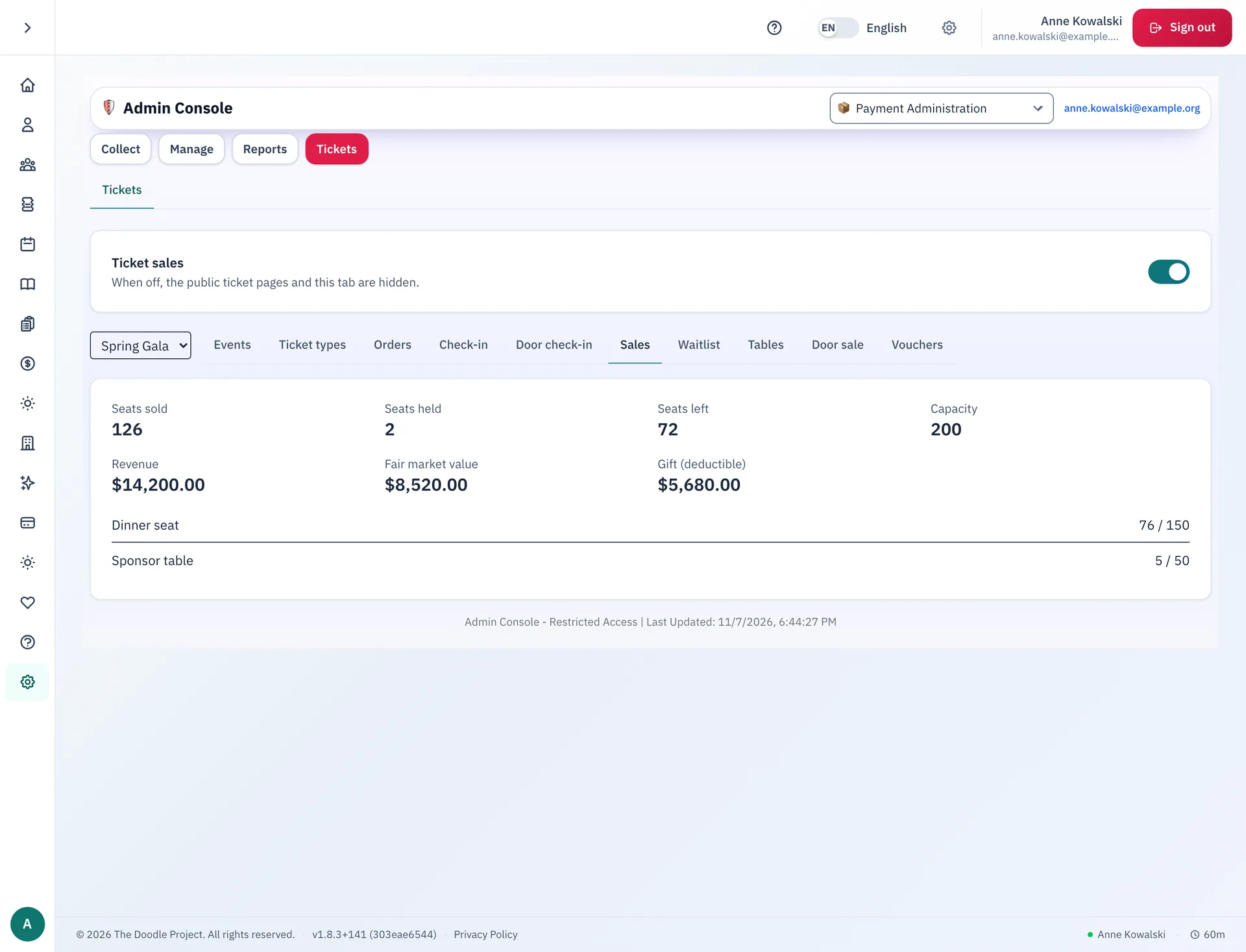
- The sales panel adds up the sales, the fair market value and the gift part for the whole event.
- When staff refund some tickets, the buyer gets a corrected receipt with the new values.
- Each event can post its sales to its own QuickBooks account.
A parish can also record the gift part of each ticket in the giving history of a signed-in buyer. The parish chooses to turn this on, after it agrees the rule with its accountant.
Tables and sponsors
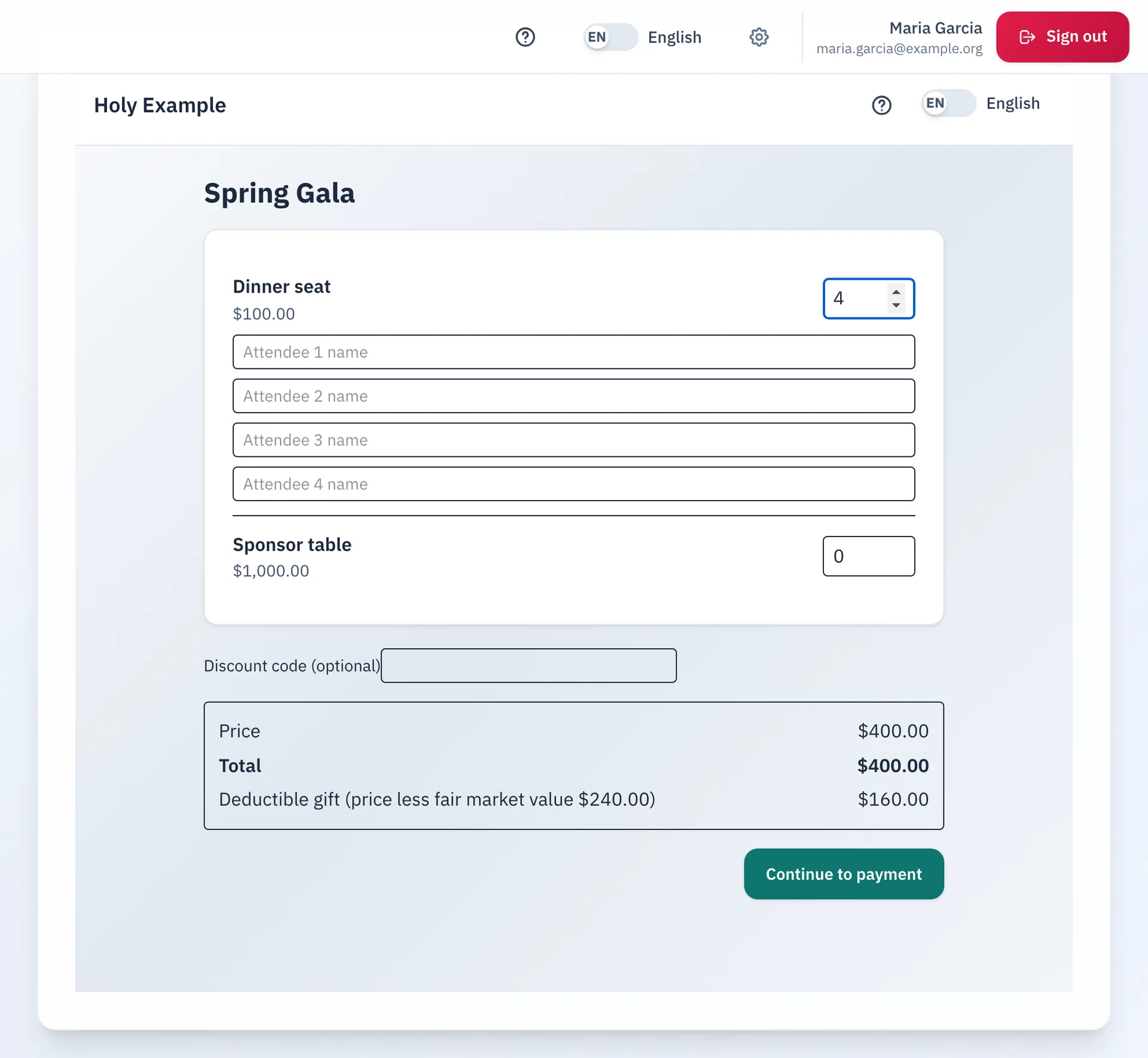
A sponsor buys a whole table in one payment. The sponsor then names the guests. Staff do not need to collect a list of names.
- A table ticket holds a set number of seats, for example 10.
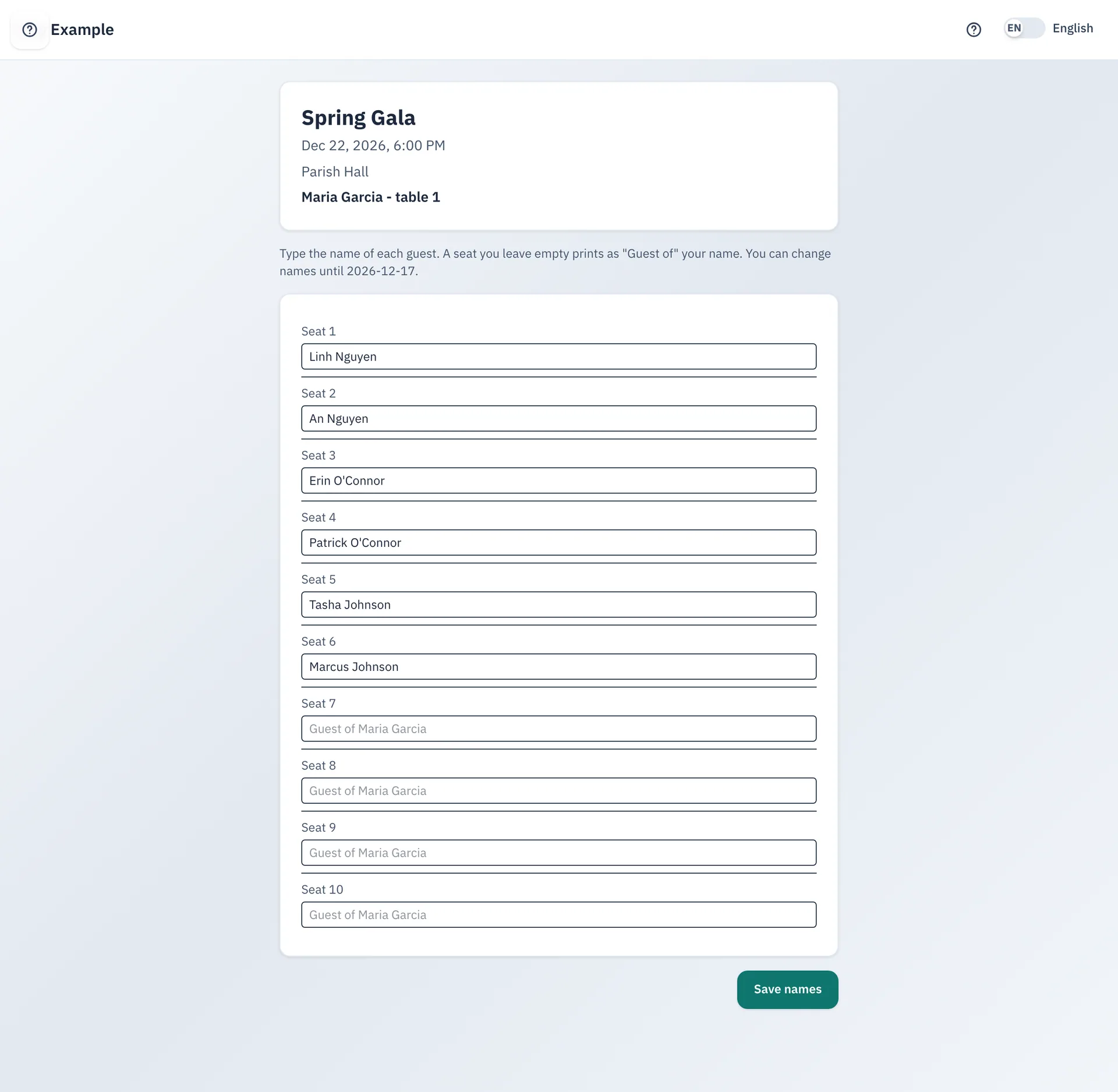
- After the sponsor pays, an email brings a private link. The link opens a page with one box for each seat.
- The sponsor can change the names until the last day that staff set for the event.
- A seat with no name prints as "Guest of" and the sponsor name.
- Staff can rename a guest at any time, and can send a new link. The old link stops working.
Door and check-in
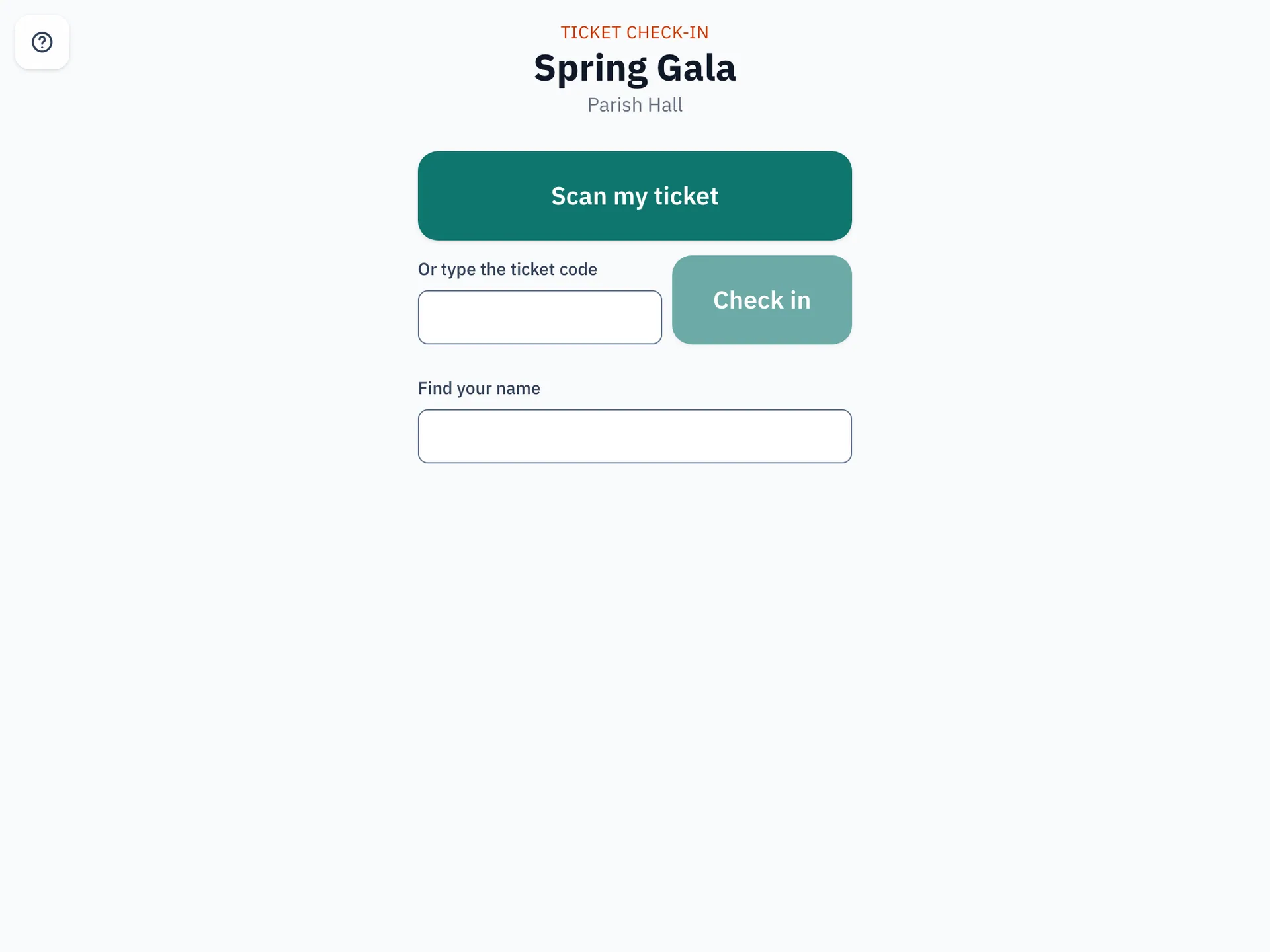
Every paid seat has its own QR code. The door team scans it, and the guest is in.
- Guests show the QR code from My tickets on a phone.
- Staff make a check-in link for a tablet. A volunteer opens it, and does not need an account.
- The link works for one event. Staff can revoke it at any time.
- A volunteer can scan the code, type the ticket code, or search by name.
- Staff can also sell tickets at the door. A door sale takes a card on the card reader, or cash. Staff choose the parishioner price or the guest price for each sale.
Guests and households
Not everyone who comes to the gala has an account. Ticket sales lets them buy anyway.
- A parishioner signs in. A guest types a name and an email address, then types a one-time code that the parish emails.
- Each ticket has an attendee name. A parishioner can link a seat to a member of the household.
- A household limit caps what one family pays for an event.
- A voucher is a code that works one time. Staff make a batch, and can void any voucher that nobody has used.
- A sold-out event can keep a waitlist. The parish chooses automatic offers, or staff release each seat by hand.
For the parish office
Staff run all of this in a Tickets tab in the Payments console.
- Make an event, add the ticket types and open the sale.
- Watch the orders, the seats left and the revenue.
- Make vouchers, manage the waitlist and the tables, and check guests in.
- Export the orders and the vouchers to a spreadsheet.
A new admin role, Tickets, lets the office team run events. Refunds and cash stay with the Payments role.
Want the detail?
See how Ticket sales works from the inside: the life of a record, who sees what, what runs on its own and what the parish controls.
See Ticket sales at your parish.
Email us and we will show you how it would work for your parish.