Sign-in and security
Sign in the way your parish already does.
Families, staff and volunteers sign in once. Antiphona follows modern sign-in standards, so your parish does not need a new set of passwords for everyone.
Ready now
Simple for families. Strict for staff.
- Passwords and passkeys. Families choose. A passkey uses a fingerprint, a face or a device PIN, so there is no password to forget.
- Multi-factor sign-in for staff. Every staff account uses it.
- Account recovery. A person gets back in with an email address or a phone number that they still control.
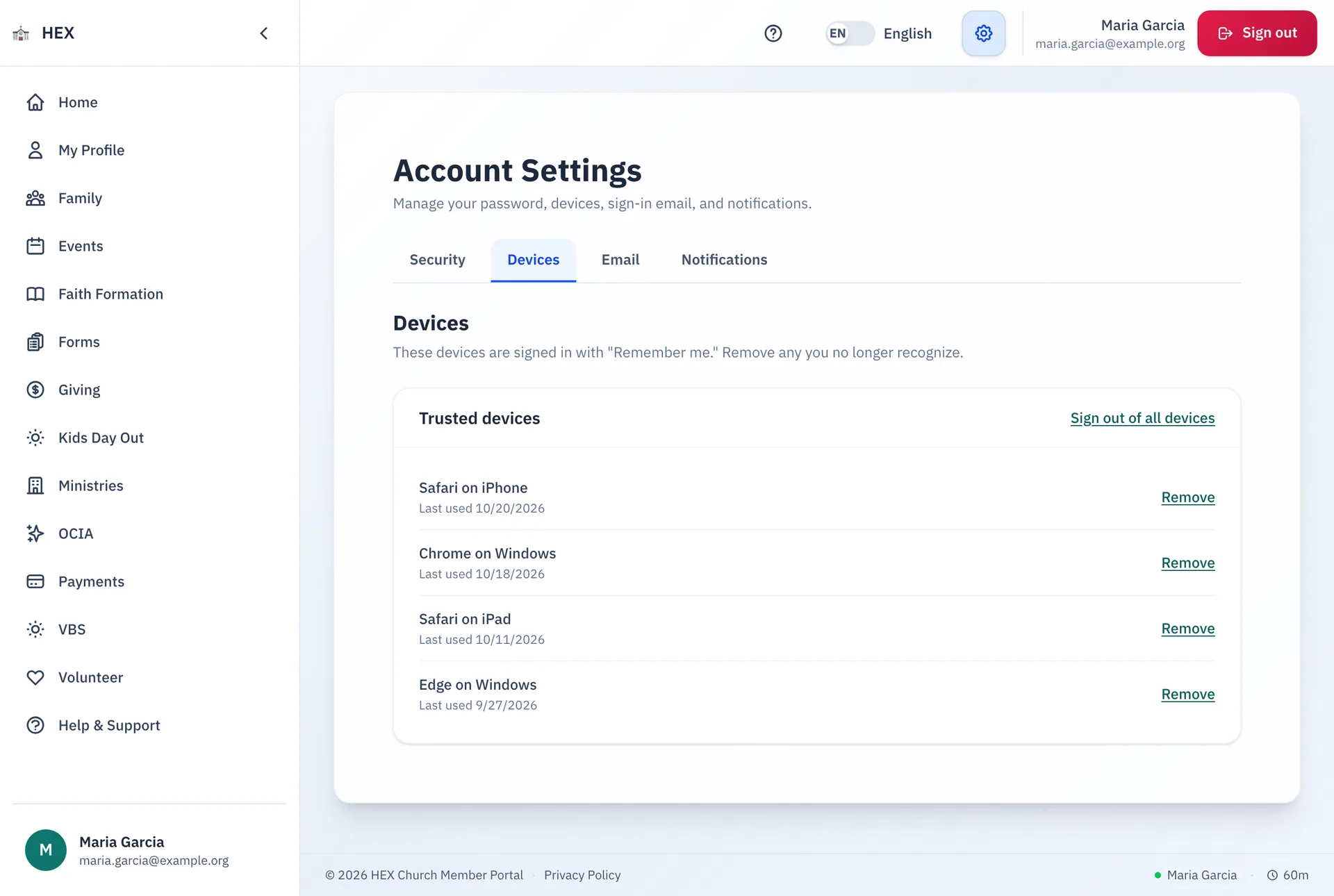
- Device control. People see where they are signed in, and they can sign out a device.
Your identity provider
Bring your own sign-in.
Antiphona builds its sign-in in separate pieces. A parish can connect an identity provider that speaks OAuth 2.0 or OpenID Connect. These are the standards behind "Sign in with Microsoft" and "Sign in with Google".
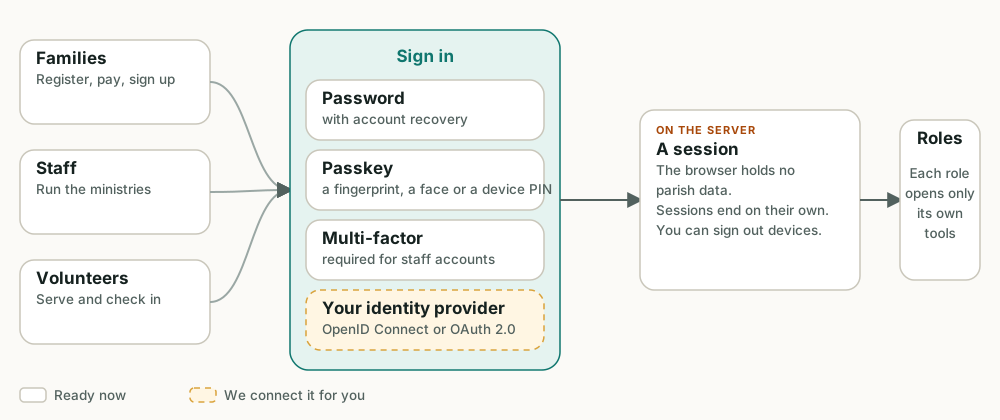
Connecting a provider is custom work. We set it up with your parish's IT contact. Microsoft Entra ID, Google Workspace and Okta all work this way.
Standards, not surprises.
Each point below describes how Antiphona behaves today.
OAuth 2.0 and OpenID Connect
When Antiphona connects to Microsoft 365 or another service, it uses that service's own OAuth sign-in. The parish grants the access, and the parish can take it back.
Passkeys
Passkeys use the WebAuthn standard. The secret stays on the person's device.
Roles that fit the work
Each admin role opens only its own tools. A ministry leader does not see the finance tools.
A record of changes
The app records who changed a record, and when.
Signed events
An event that Antiphona sends to another system can carry a signature. The receiver can check that it came from Antiphona.
Secrets stay out of the code
Keys and passwords sit in a managed vault. They are not in the code and not in the browser.
Does your IT contact have questions?
Email us. We answer in plain words and send the details that your IT contact needs.