Modules / Money
Payments
Cards, cash and checks in one record.
- Families
- Parish office
- Finance staff
Every program in the parish has a fee. Payments gives each fee one record, whether it came by card, by cash or by check.
What families can do
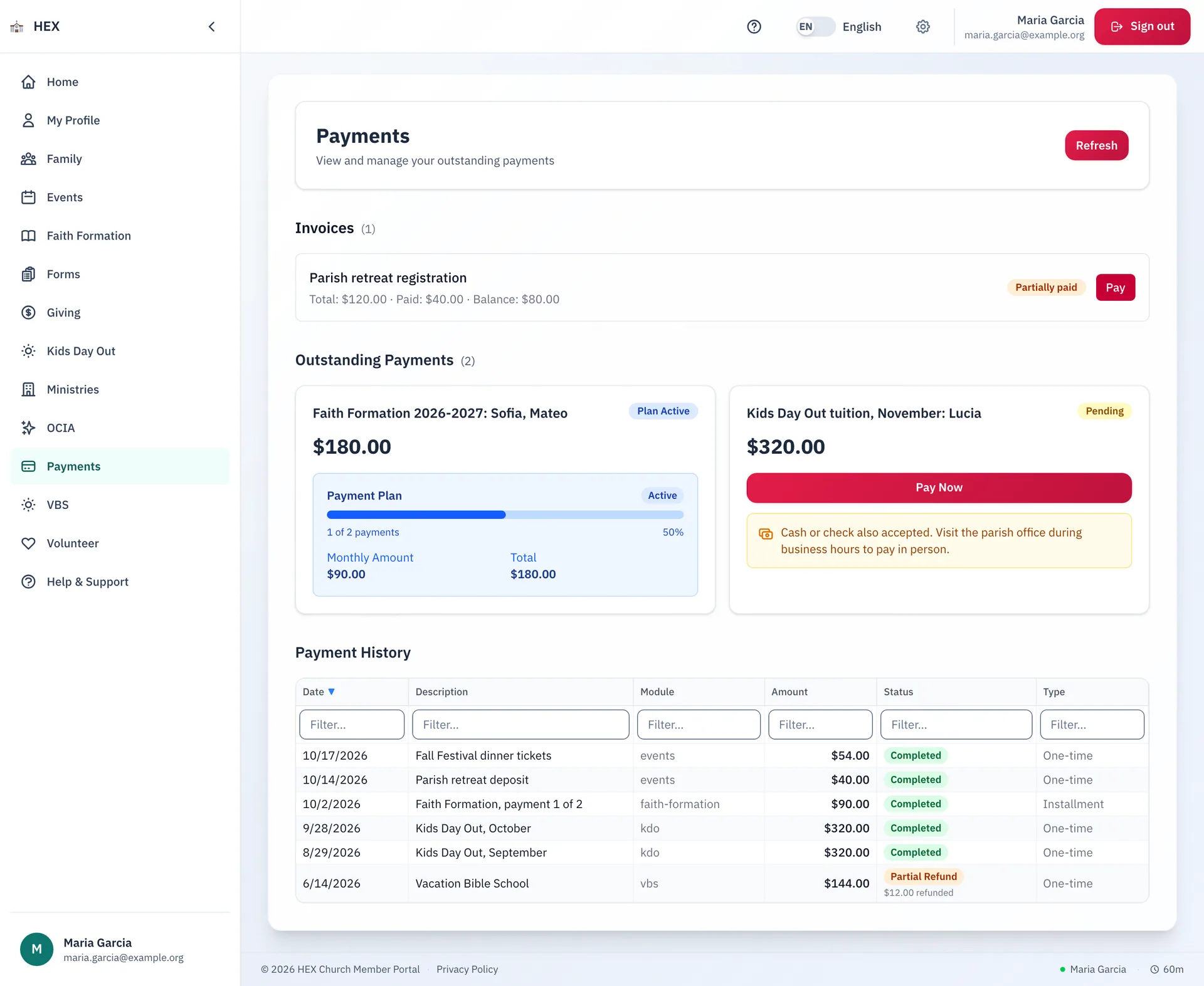
- See what you owe: invoices, balances and payment plans, with a progress bar.
- Pay now by card. A parish that also takes cash or checks says so on the same screen.
- Read your payment history, with each refund shown.
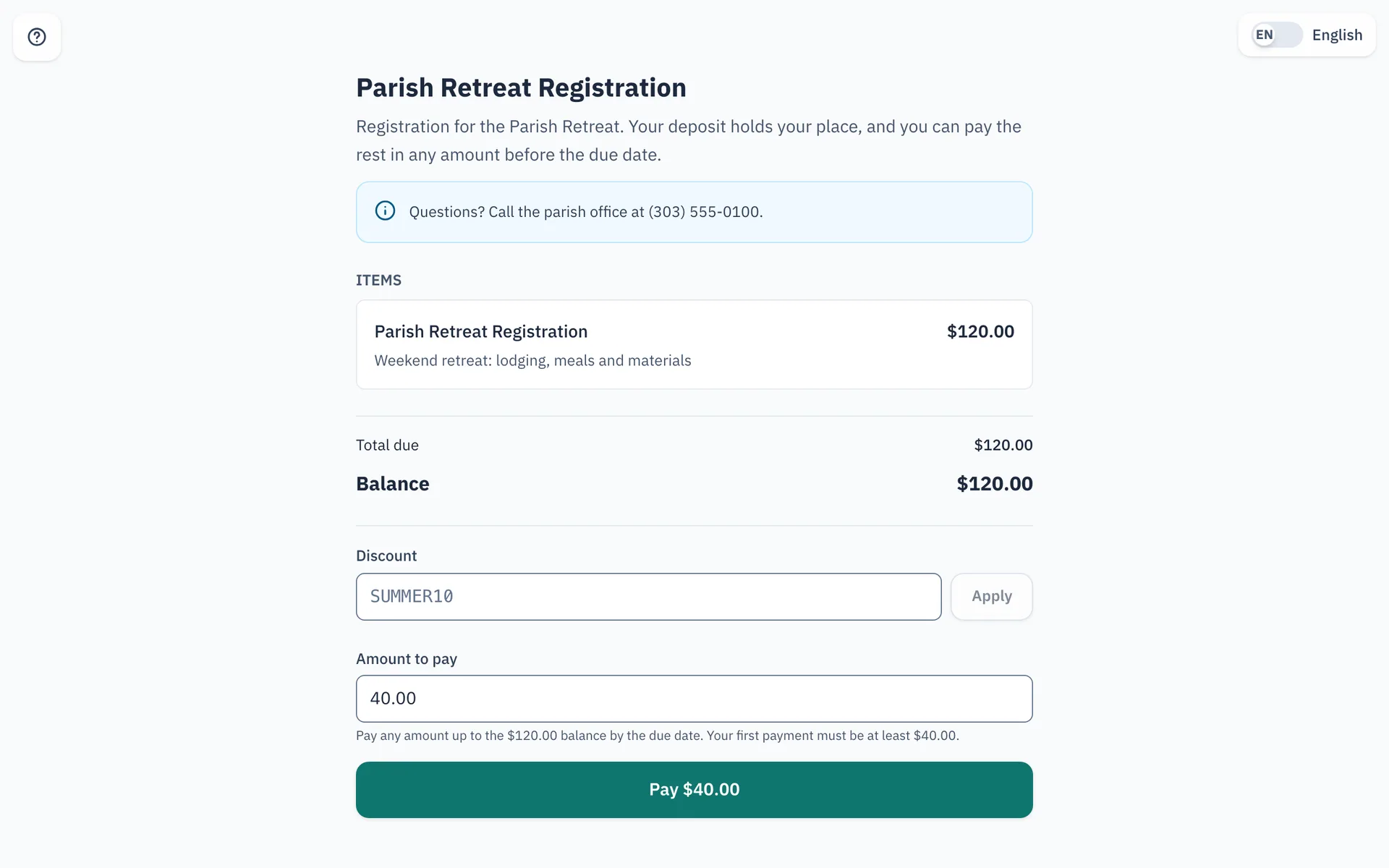
- Open an invoice link from the parish, read what it is for, and pay it. A deposit can hold a place, and the rest can follow in any amount before the due date.
What staff can do
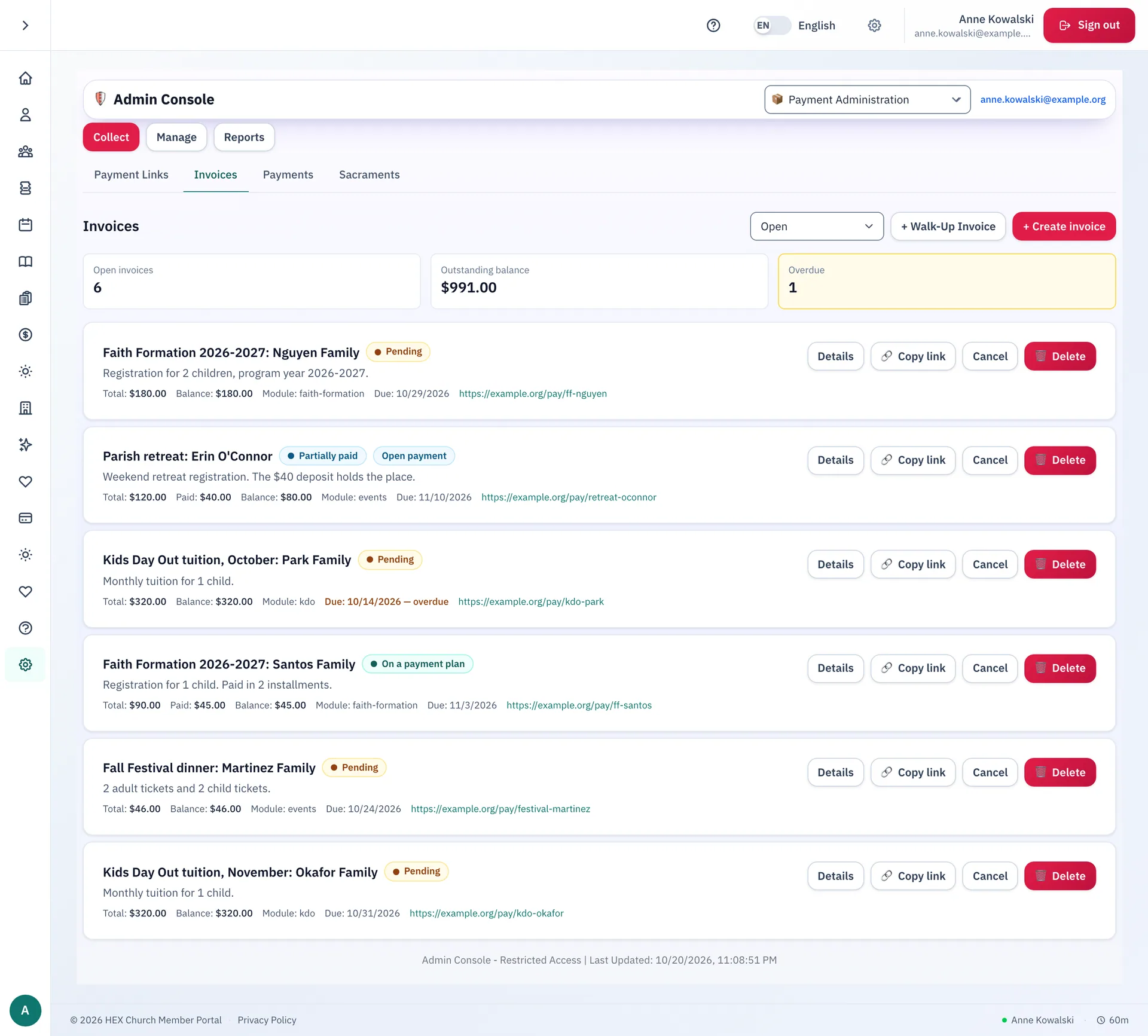
- Create invoices and payment links, or start a walk-up invoice at the office.
- See the open invoices, the outstanding balance and what is overdue.
- Record cash and checks, with a history of cash drawer sessions.
- Set up payment plans and discount codes.
- Refund a payment, and check refunds against Stripe.
- Take card payments at the parish office or at an event, with a card reader.
Online or at the office
A parish chooses how it takes payments. With online payments, families pay by card and every action above is on. A parish that prefers cash and checks can run in manual mode. The app then shows families how to pay at the parish office, and hides the online actions.
Always in step with Stripe
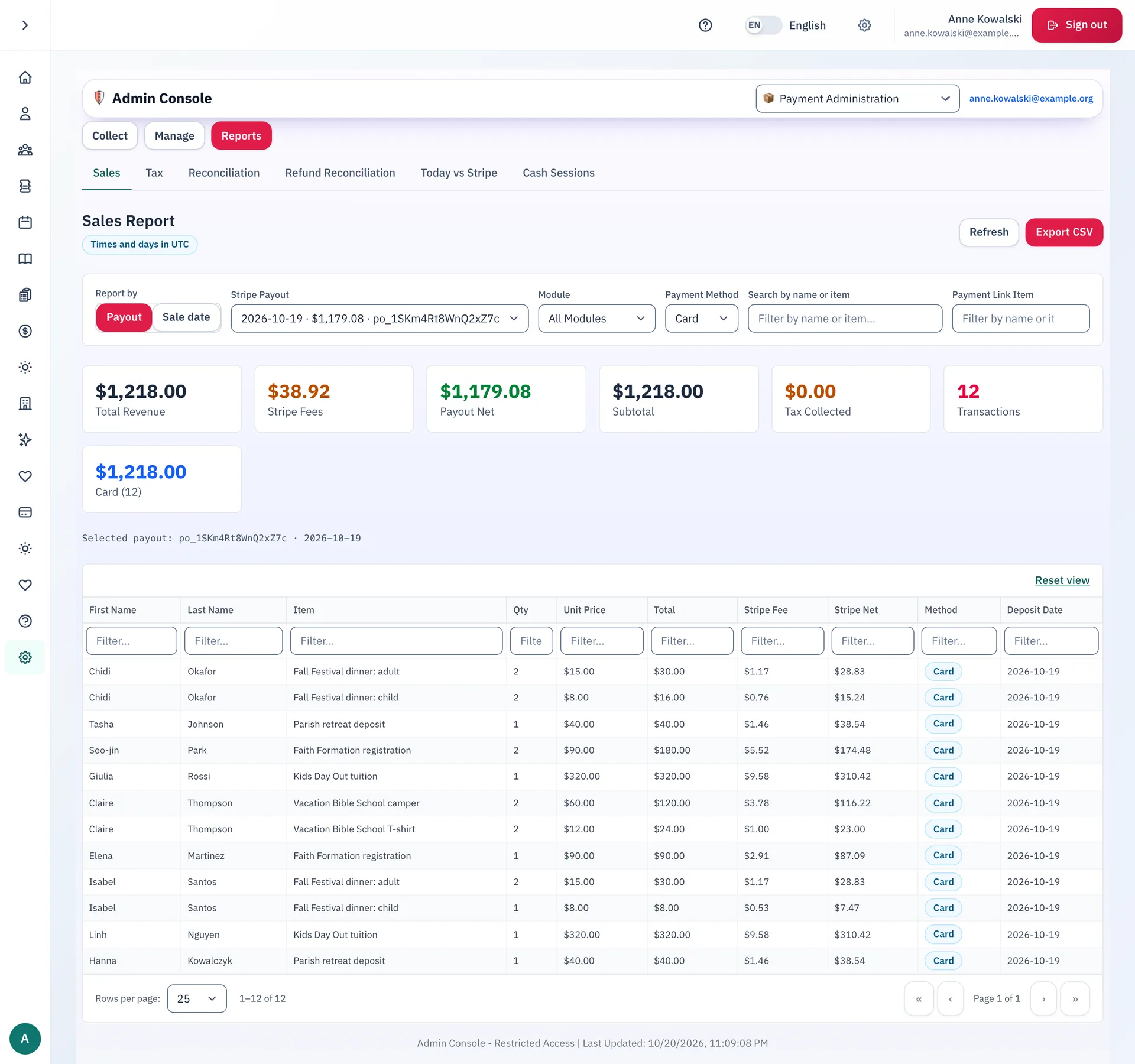
Choose a Stripe payout and see its sales, fees and net, line by line. Run the sales report and the sales tax report, check the day's card sales against Stripe, and export to a spreadsheet. A refund is recorded only after Stripe confirms it.
Step-by-step guides
- Viewing and paying what you owe
- Paying an invoice
- Finding your way around the Payments console
- Creating and tracking invoices
- Setting up and tracking payment plans
- Running the sales report
The guides are on the docs site.
Works with
Giving
Giving history, scheduled gifts and pledge progress.
Faith Formation
Registration, classes, attendance and sacrament milestones for every child.
Kids Day Out
An early childhood day program, from enrollment to the daily report.
Vacation Bible School
Camper registration, volunteers and check-in for the summer program.
See Payments at your parish.
Email us and we will show you how it would work for your parish.