Modules / Money
Giving
Giving history, scheduled gifts and pledge progress.
- Parishioners
- Parish finance office
Families want to see what they gave, and what they planned to give. The Giving page shows both.
What parishioners can do
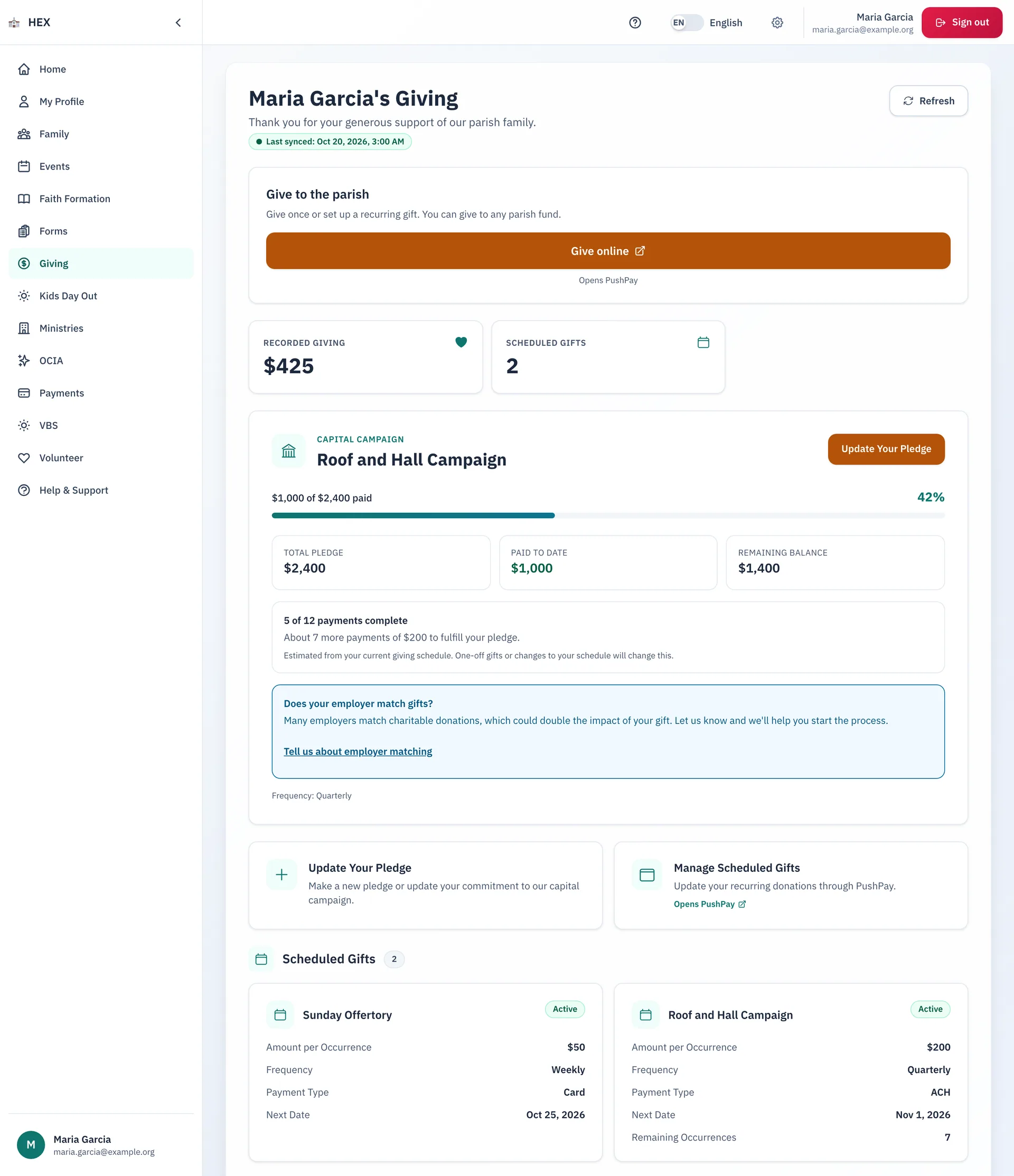
- Give once or on a schedule. Give online opens the parish's giving provider, PushPay.
- See your recorded giving and your scheduled gifts, each with its amount, frequency, payment type and next date.
- Follow a capital campaign pledge: the total, what you paid, what remains, and how many payments are left.
- Ask the parish about employer matching from the same page.
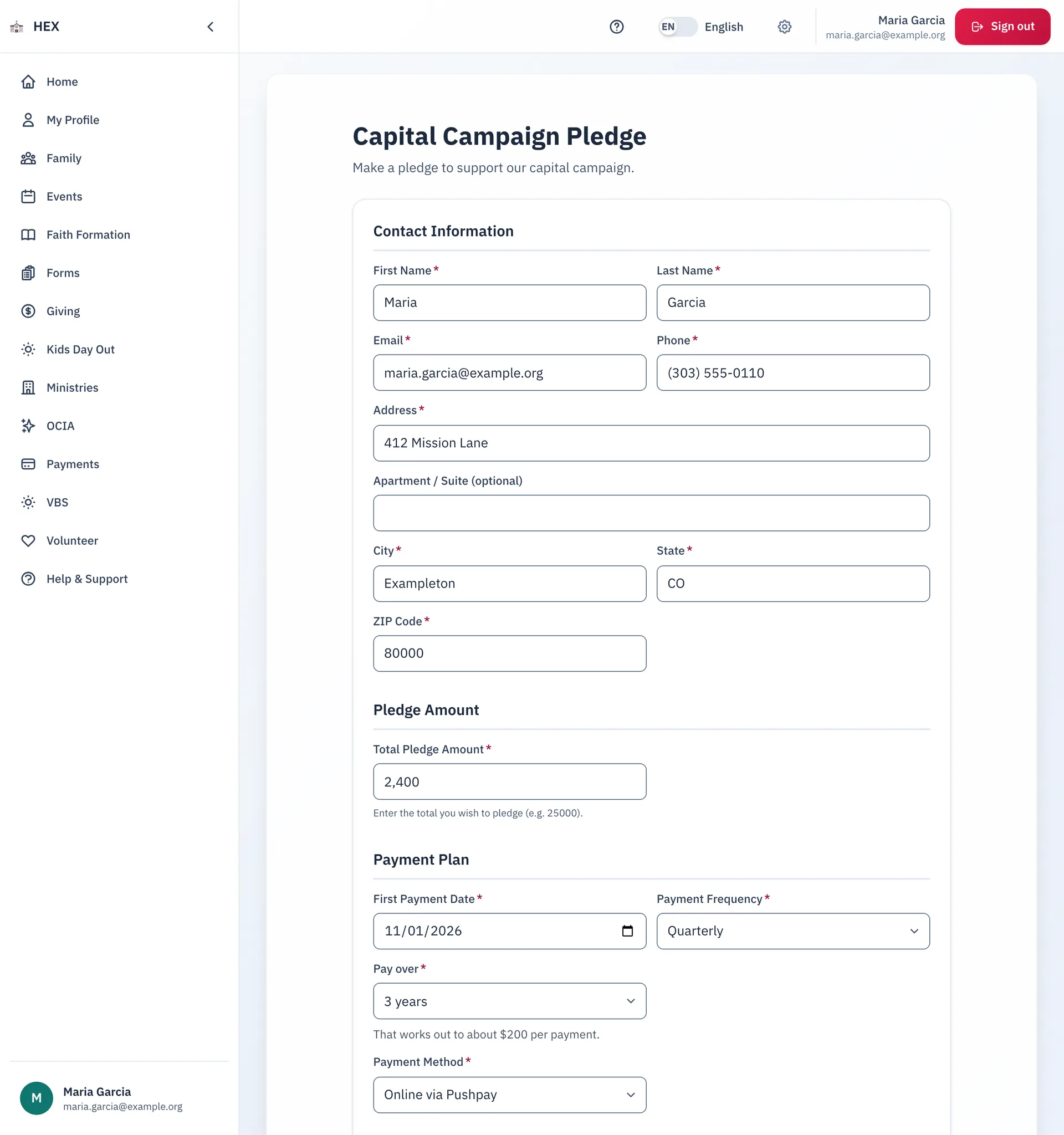
Make or update a pledge
A pledge form lets a family promise a gift over several years. It then sets up the gifts with the parish's giving provider, for example $200 a quarter.
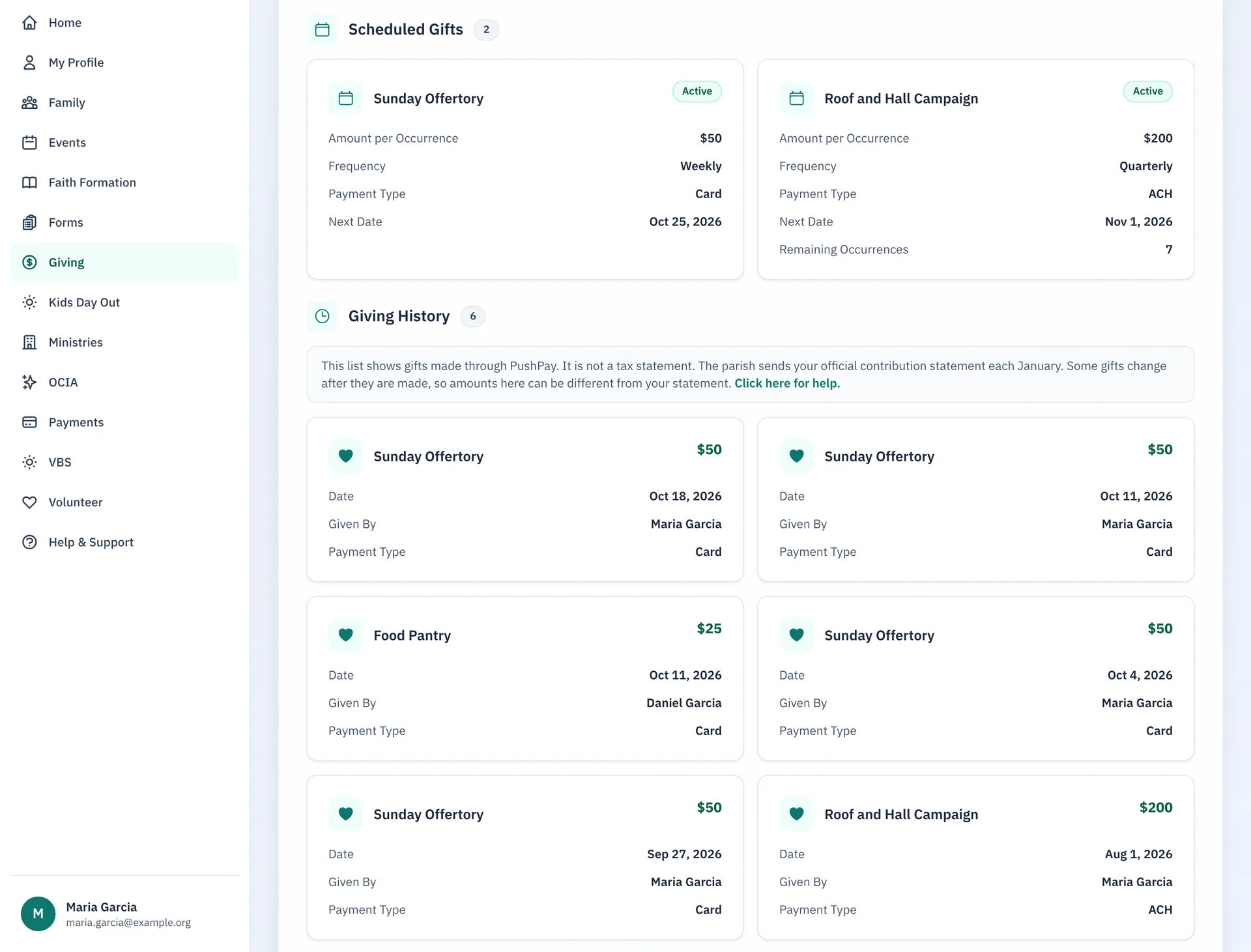
Every gift in one list
The history lists each recorded gift and each scheduled gift.
Step-by-step guides
The guides are on the docs site.
See Giving at your parish.
Email us and we will show you how it would work for your parish.