Modules / Connect and support
Communications
Email and text messages to the right people, with consent built in.
- Parish office
- Ministry leaders
- Families
A parish has news, reminders and urgent notices. Communications sends each one to the right people. It respects what each person chose.
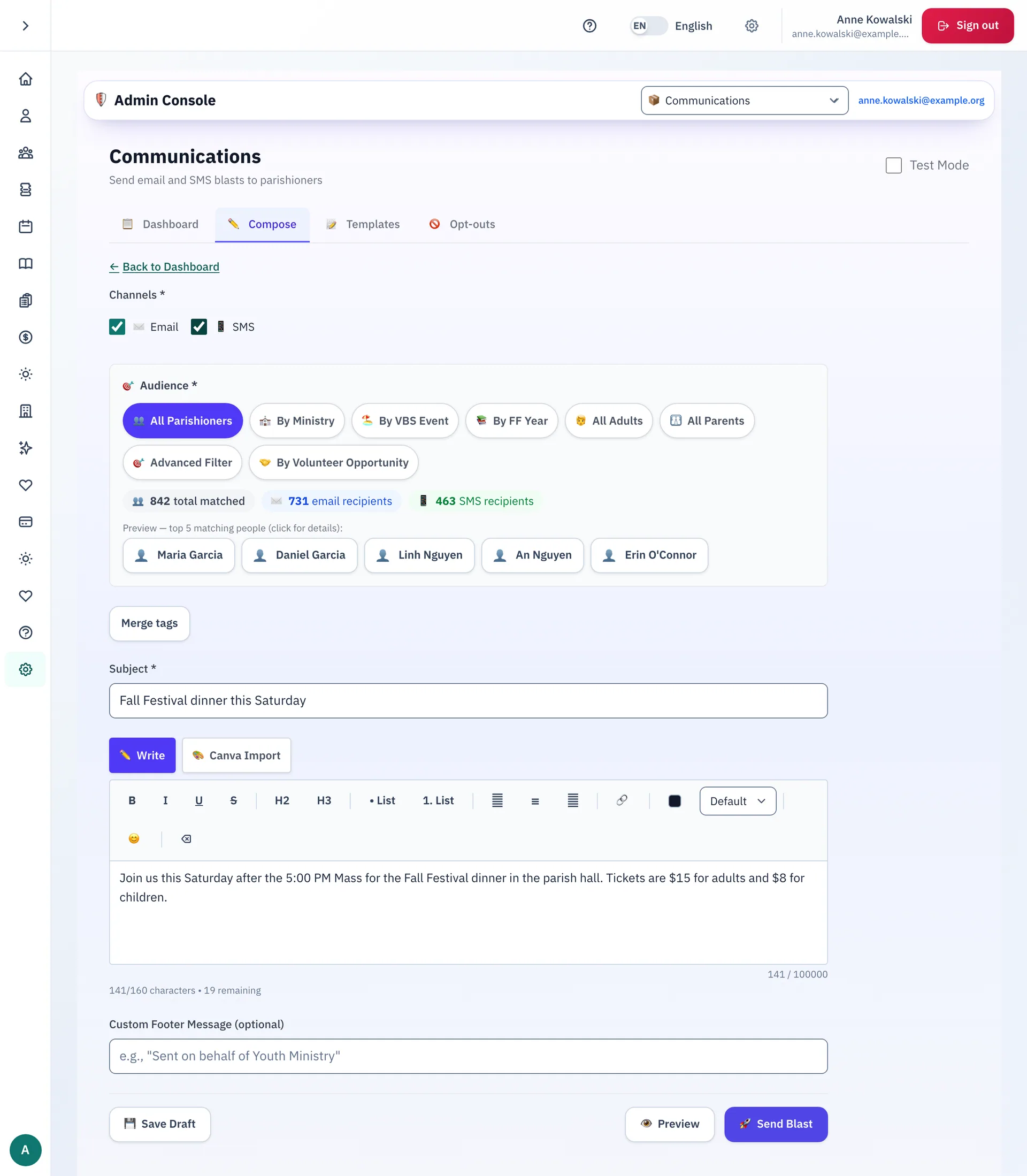
Write once, send to the right people
- Write an email, a text, or both. Add merge tags, such as a first name.
- Choose who gets it. Pick all parishioners, a ministry, a Vacation Bible School event, a Faith Formation year, all adults, all parents or a volunteer opportunity. Or build an advanced filter.
- See how many people get the email and how many get the text. The first five names show, so you can check the list.
- Preview the message, save a draft, or send. The app asks you to type SEND to confirm.
- Turn on Test Mode to send only to email addresses at the parish's own domain.
- Let programs and ministries message their own members.
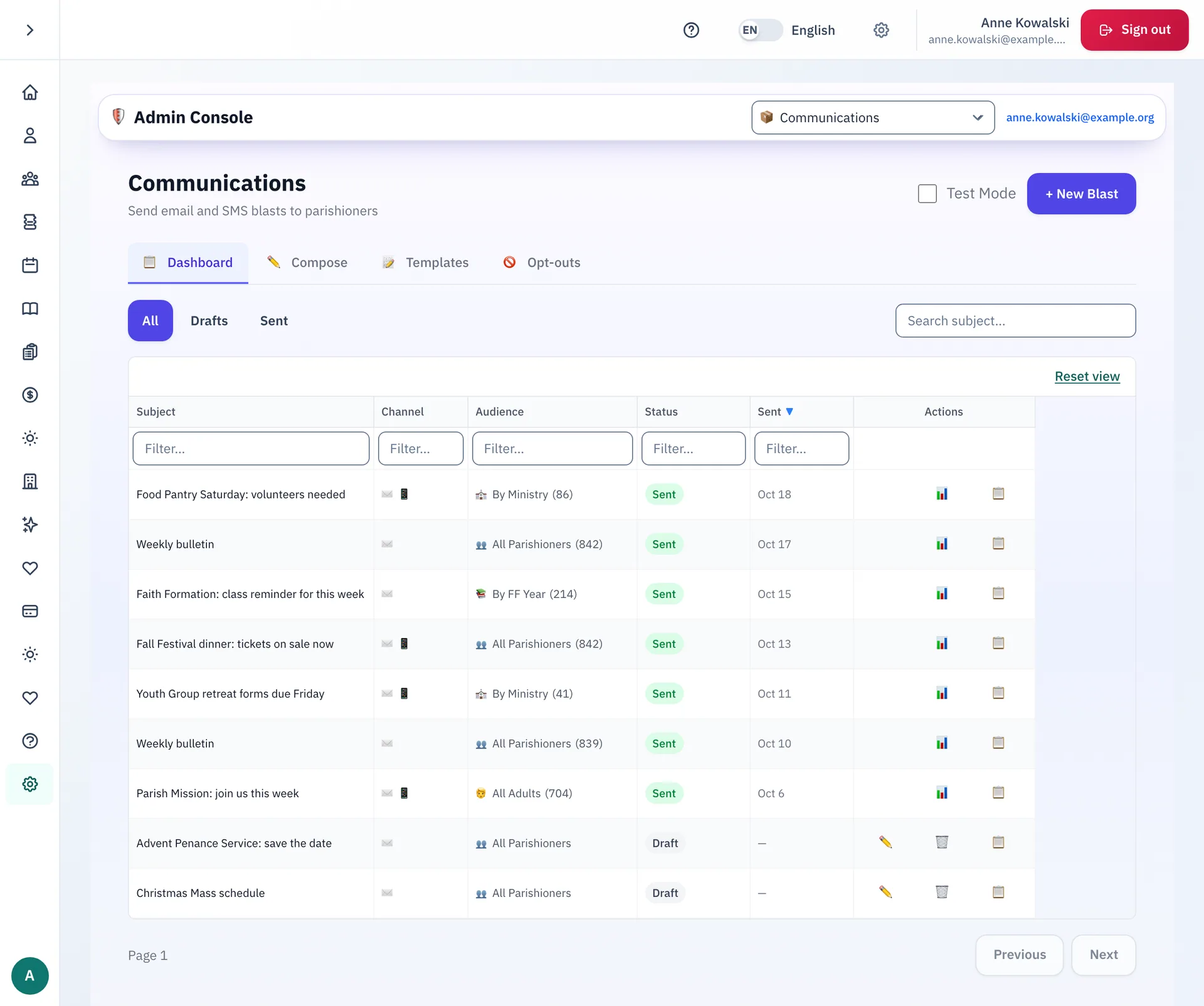
Every message in one list
The dashboard lists each email and text the parish sent, with its audience and its date. Drafts wait in the same list. Search by subject, or show only drafts or only sent messages.
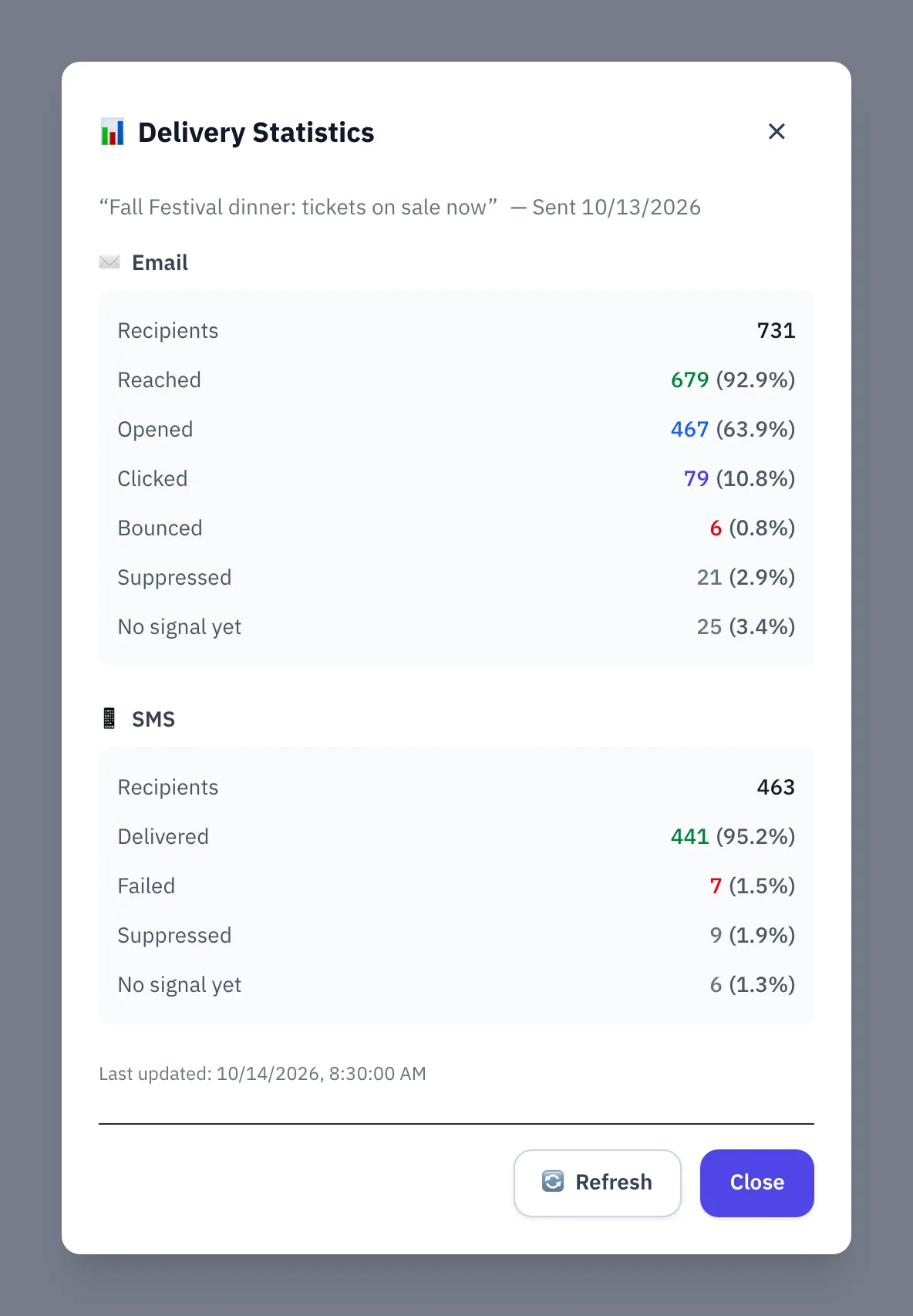
See how a message did
Open the delivery numbers for any sent message.
- Email: how many people were reached, opened the message and clicked a link, and how many bounced.
- Text: how many texts were delivered, and how many failed.
Messages the app sends by itself
The app sends some messages on its own, such as a welcome email, a waitlist notice or a payment notice. Staff open Templates to edit the words, in English and in Spanish. A preview shows each message first.
What families can do
- Choose what the parish sends you, by email or by text, one kind of message at a time.
- Use one switch to turn off all parish news by email, or by text.
- Unsubscribe from any email. Reply STOP to any text.
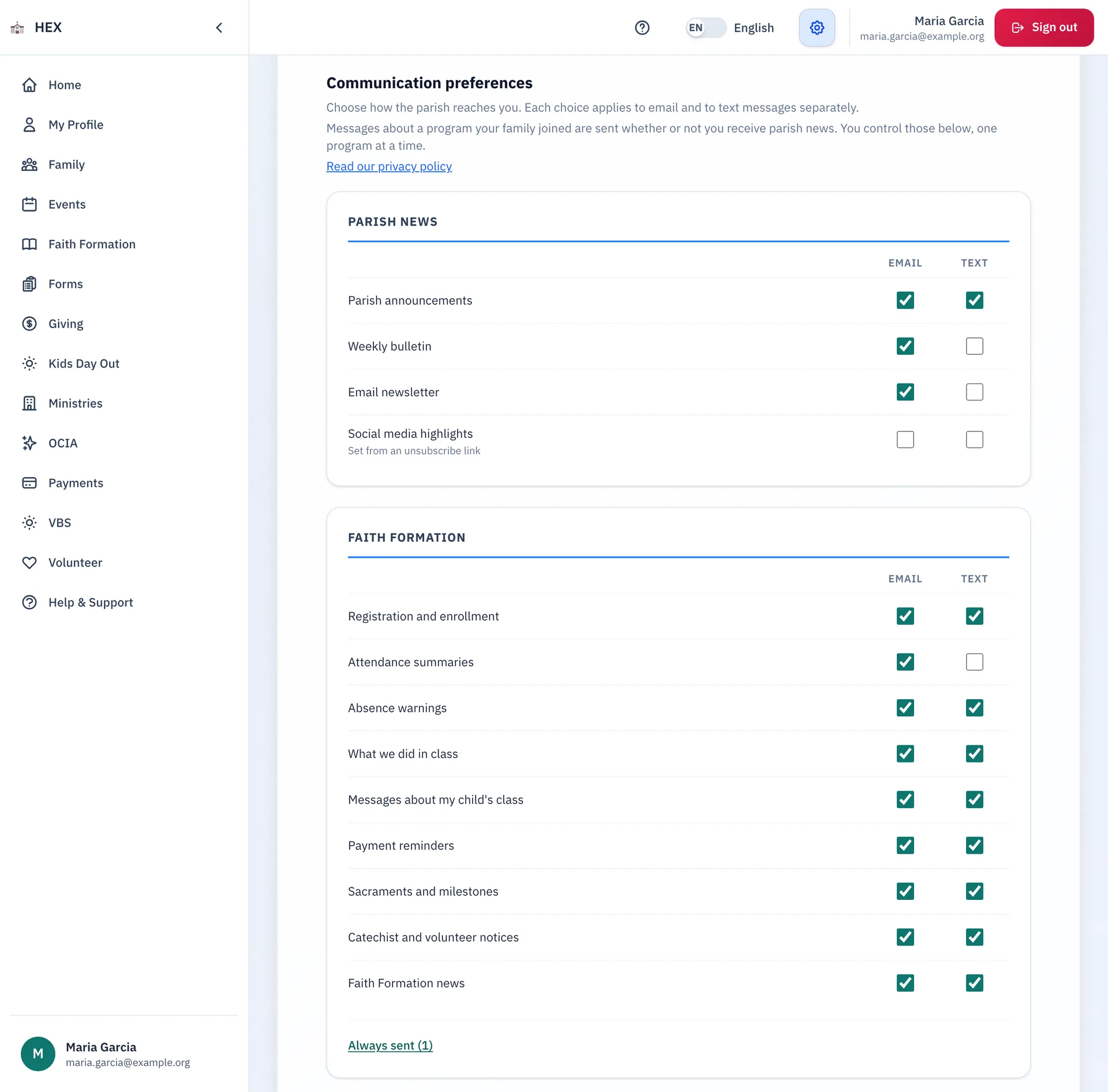
Three kinds of message
Each kind follows its own rule. Turning off one kind does not turn off the others.
- Essential messages always arrive. They are few. One example is an account security alert.
- Program messages are about something a family joined: a receipt, a schedule change, a reply.
- Parish news is everything else. Each person chooses whether to receive it.
Staff can also record an opt-out for one person. It stops every message except the essential ones.
Step-by-step guides
The guides are on the docs site.
See Communications at your parish.
Email us and we will show you how it would work for your parish.