Modules / Connect and support
Forms
Build a form, choose who can fill it out and read the answers.
- Parish office
- Ministry leaders
- Families
Sign-up sheets, permission slips and requests all start as paper. Forms moves them online, so the answers land in one place.
What staff can do
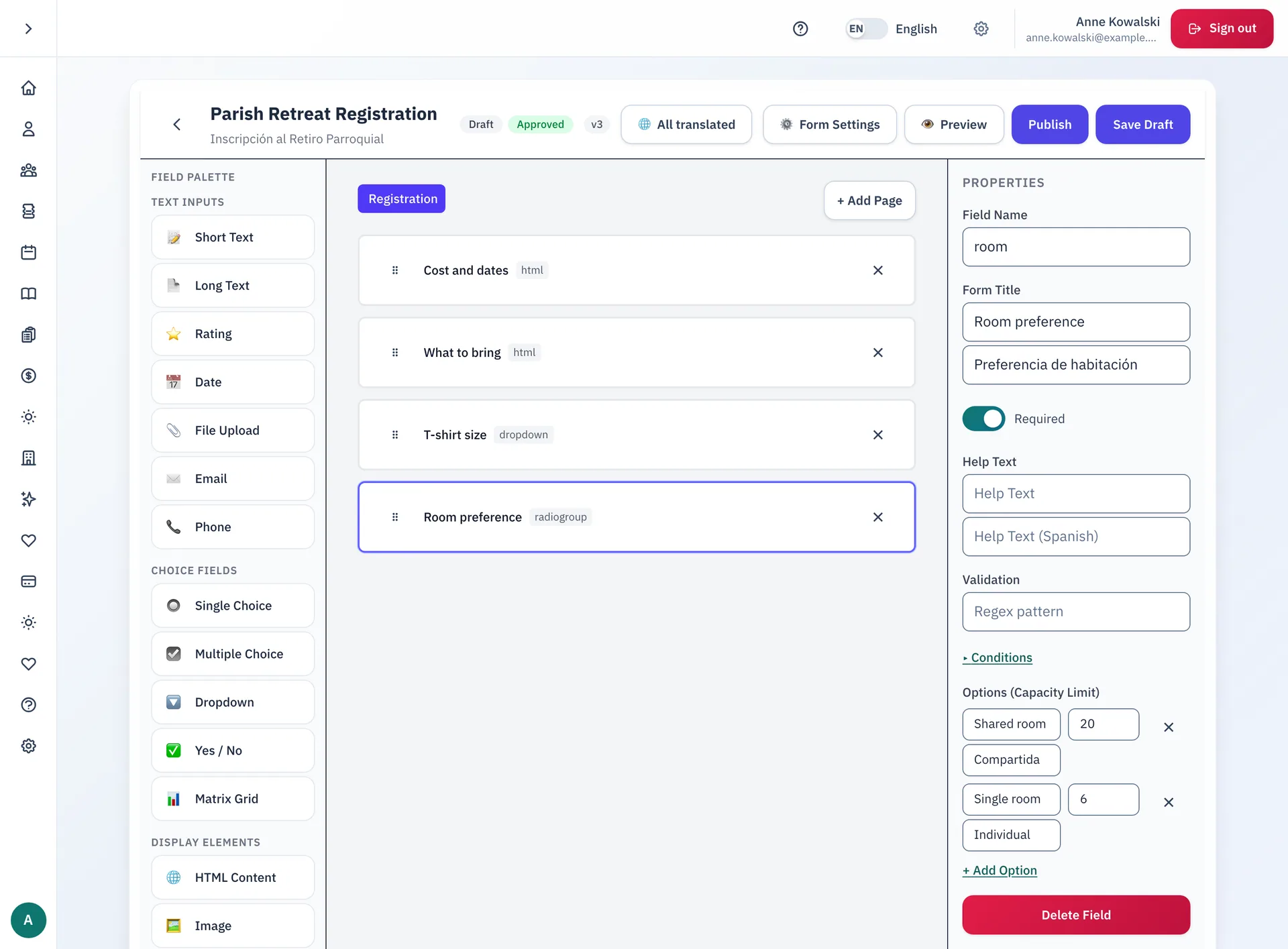
- Build a form from a palette of fields: text, dates, files, email, phone, single and multiple choice, dropdowns, yes or no, ratings and grids.
- Set each field's properties: required, help text, a validation rule, and conditions that show it only when needed.
- Write every label in English and Spanish.
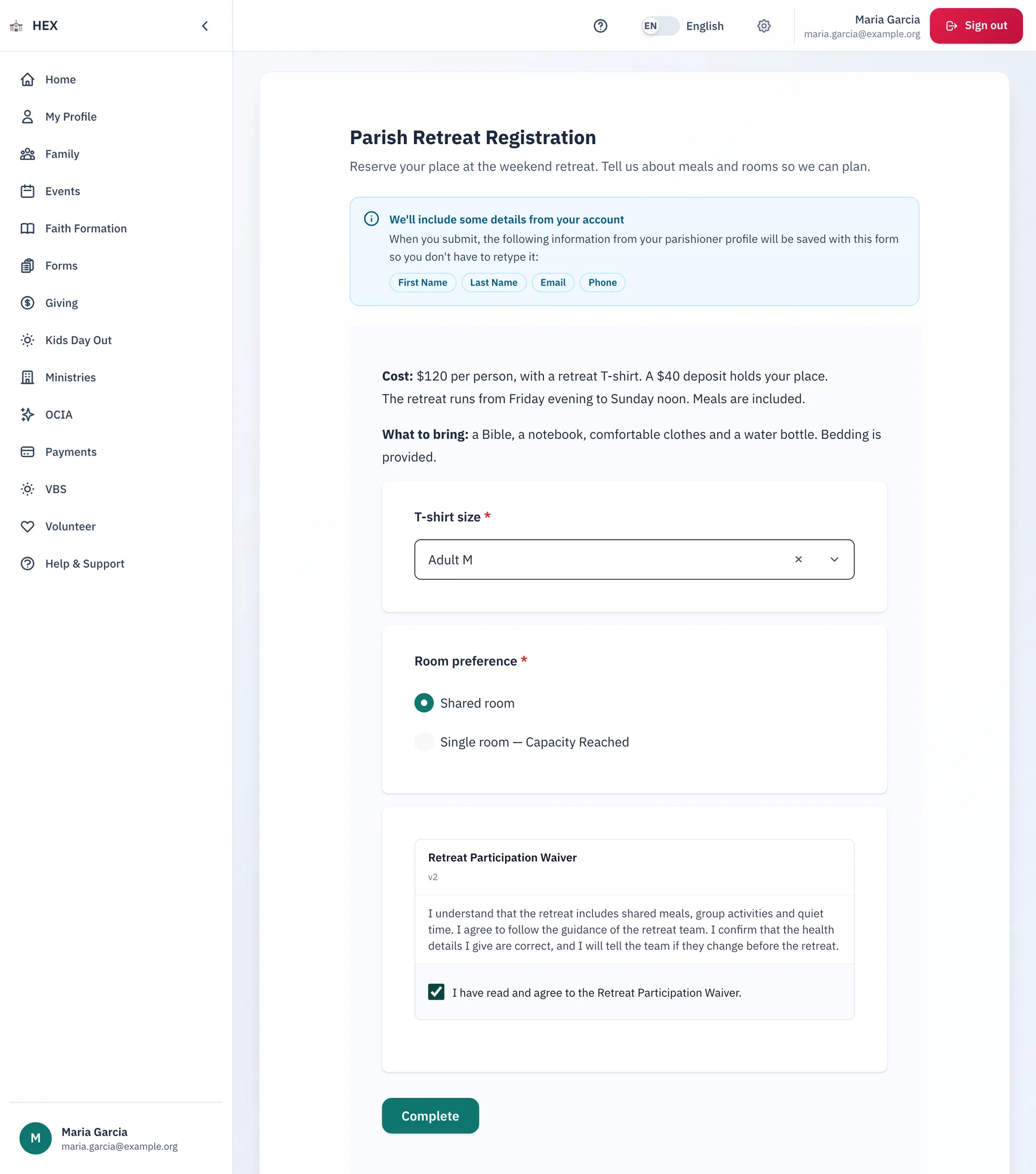
- Put a limit on an option, for example 20 shared rooms and 6 single rooms. A full option says "Capacity Reached".
- Preview the form, save a draft, send it for approval, and publish it with a link.
- Choose who can respond, ask for a fee or a signed waiver, and add an anti-spam check.
What families can do
- Find the open forms, or open one from a link. See what you already sent in.
- Skip the retyping: the form fills in your name, email and phone from your profile.
- Accept a waiver, pay a fee, and press Complete.
See the answers
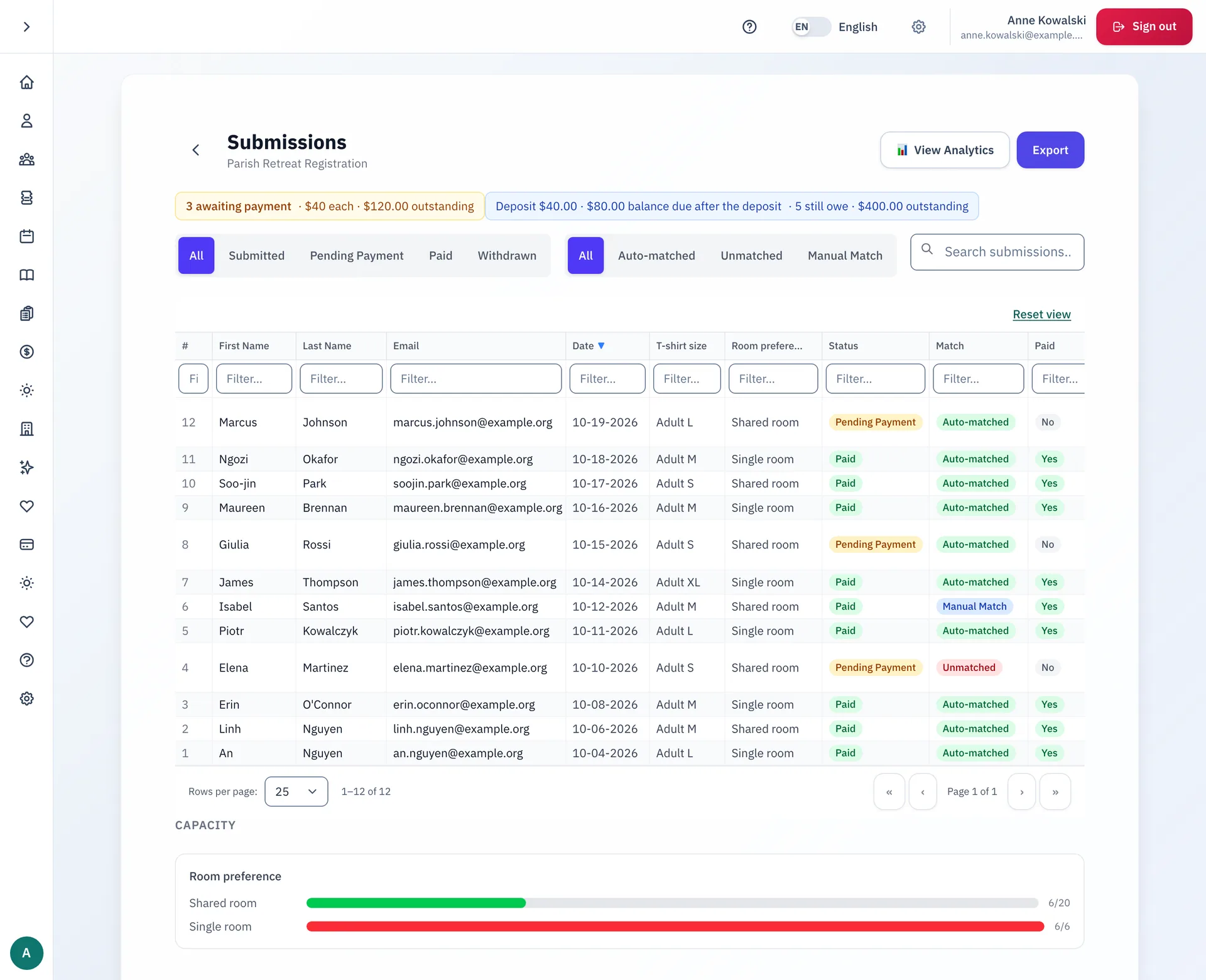
Each form has its own list of submissions. Filter by status, see who paid, and watch the capacity meters. Staff match each answer to a person in the parish records, automatically or by hand. Export the list, or read the response numbers.
Step-by-step guides
- Finding a parish form to fill out
- Creating a new form
- Setting up who can fill out a form
- Managing your parish's forms
- Reading a form's response numbers
The guides are on the docs site.
See Forms at your parish.
Email us and we will show you how it would work for your parish.