Modules / Faith and formation
Vacation Bible School
Camper registration, volunteers and check-in for the summer program.
- Families
- Volunteers
- Teens
- VBS team
Vacation Bible School brings in many children, many volunteers and a lot of paperwork in a short time. Antiphona handles the sign-up and the check-in, so the team can run the week.
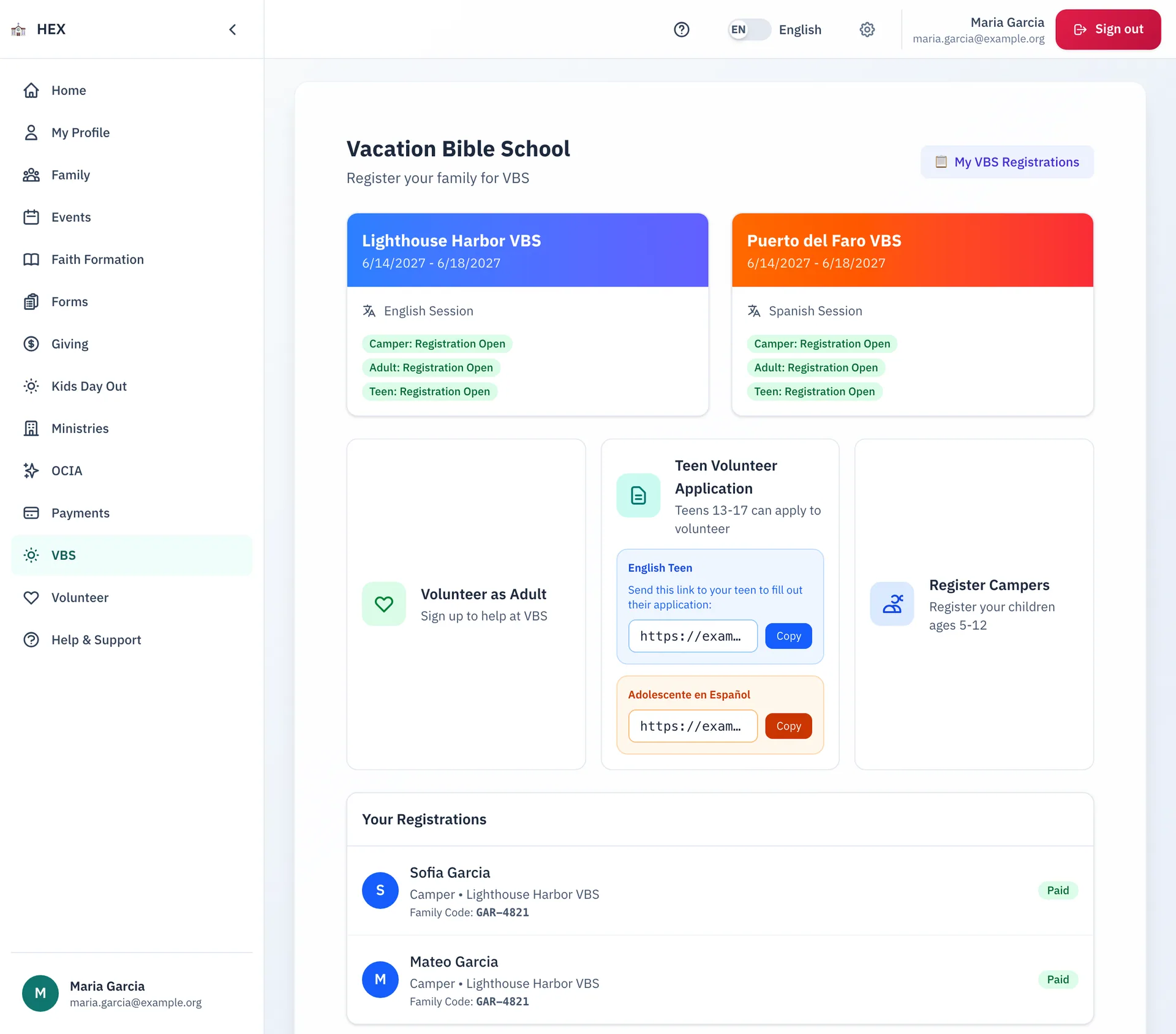
What families can do
- Pick the English or the Spanish session.
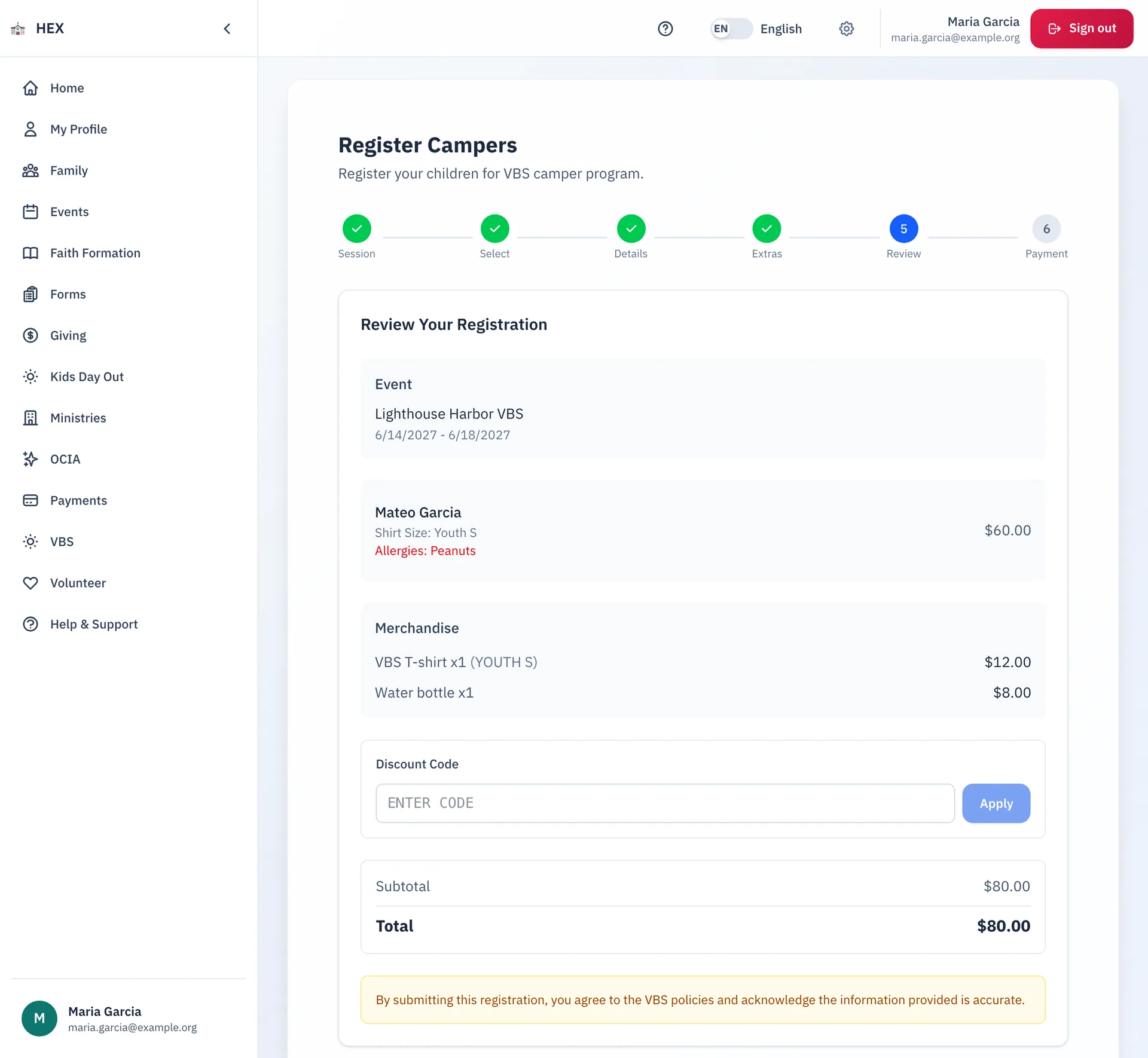
- Register campers in six steps: session, camper, details, extras, review and payment.
- Add extras such as a T-shirt, and use a discount code.
- Join a waitlist when a session is full.
- Sign up as an adult volunteer. A teen applies with a link that a parent can share.
- See each registration, the family code and the payment status.
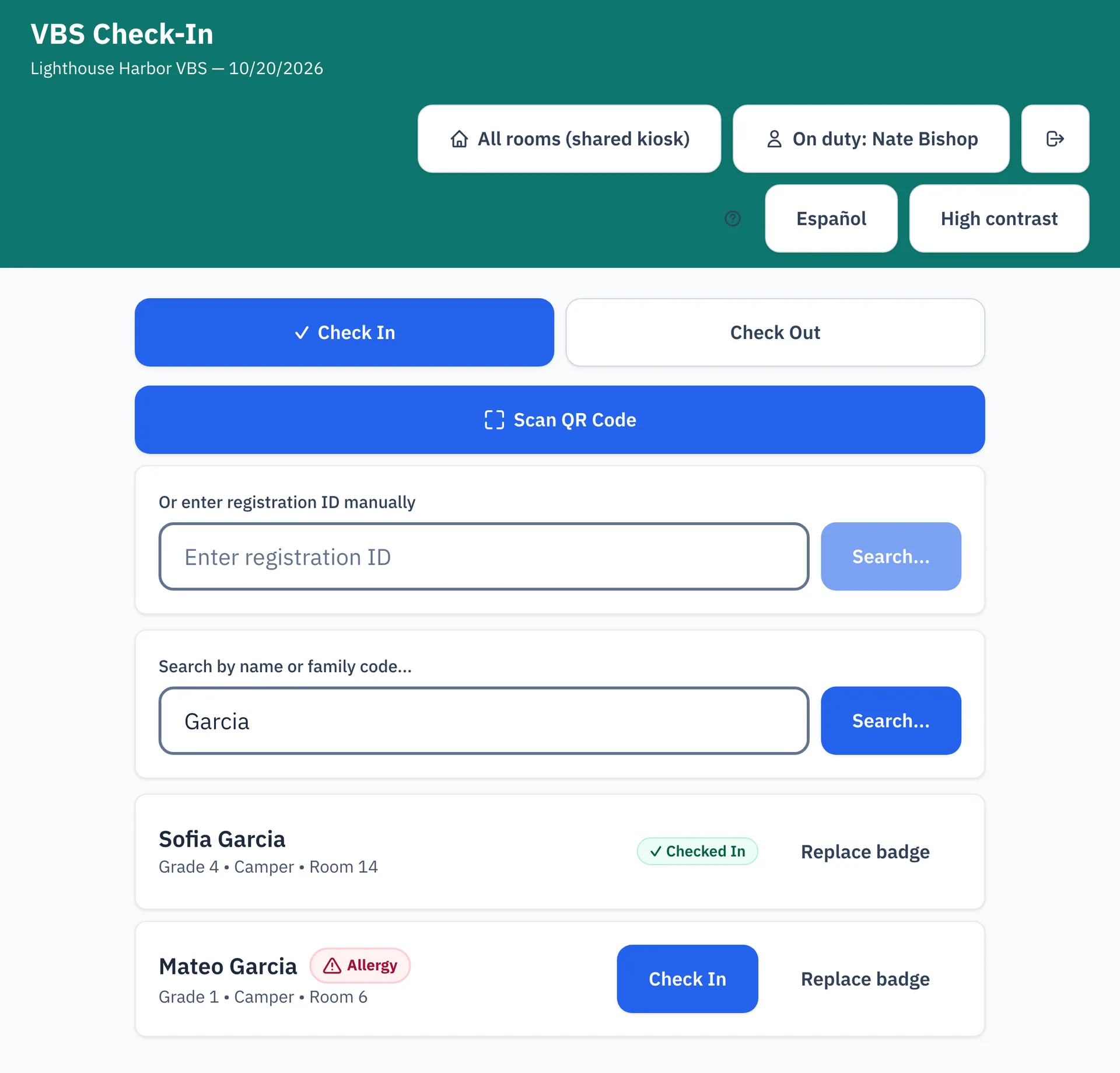
At the door
A volunteer checks children in and out at a kiosk. They search by name or family code, or scan a QR code. A red Allergy flag shows next to a camper who has one, and a lost badge is easy to replace.
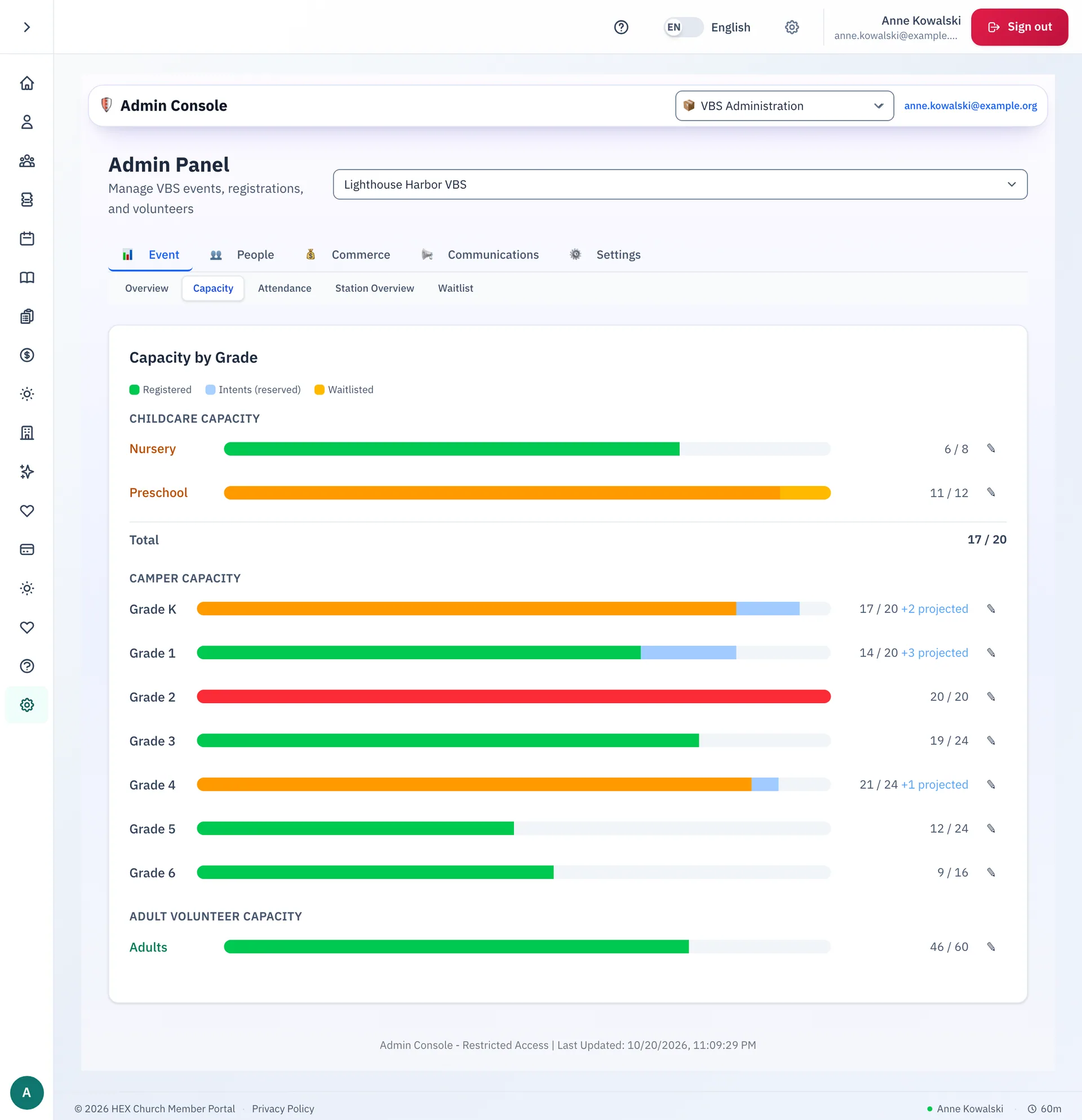
What the team can do
- Set capacity for each grade, for childcare and for adult volunteers.
- Watch the registered, reserved and waitlisted counts change.
- Review teen volunteer applications by stage.
- Keep attendance, stations, merchandise and messages for the event in one admin panel.
Step-by-step guides
- Registering your family for Vacation Bible School
- Viewing your family's registrations and pickup code
- Applying as a teen volunteer
- Using the VBS check-in kiosk
- The teen volunteers tab
The guides are on the docs site.
See Vacation Bible School at your parish.
Email us and we will show you how it would work for your parish.