Modules / Community and service
Volunteer
Find a way to serve, sign up for a shift and swap with a friend.
- Volunteers
- Ministers
- Coordinators
A parish runs on people who give their time. Antiphona makes it easy to see what is needed, to say yes, and to keep the schedule.
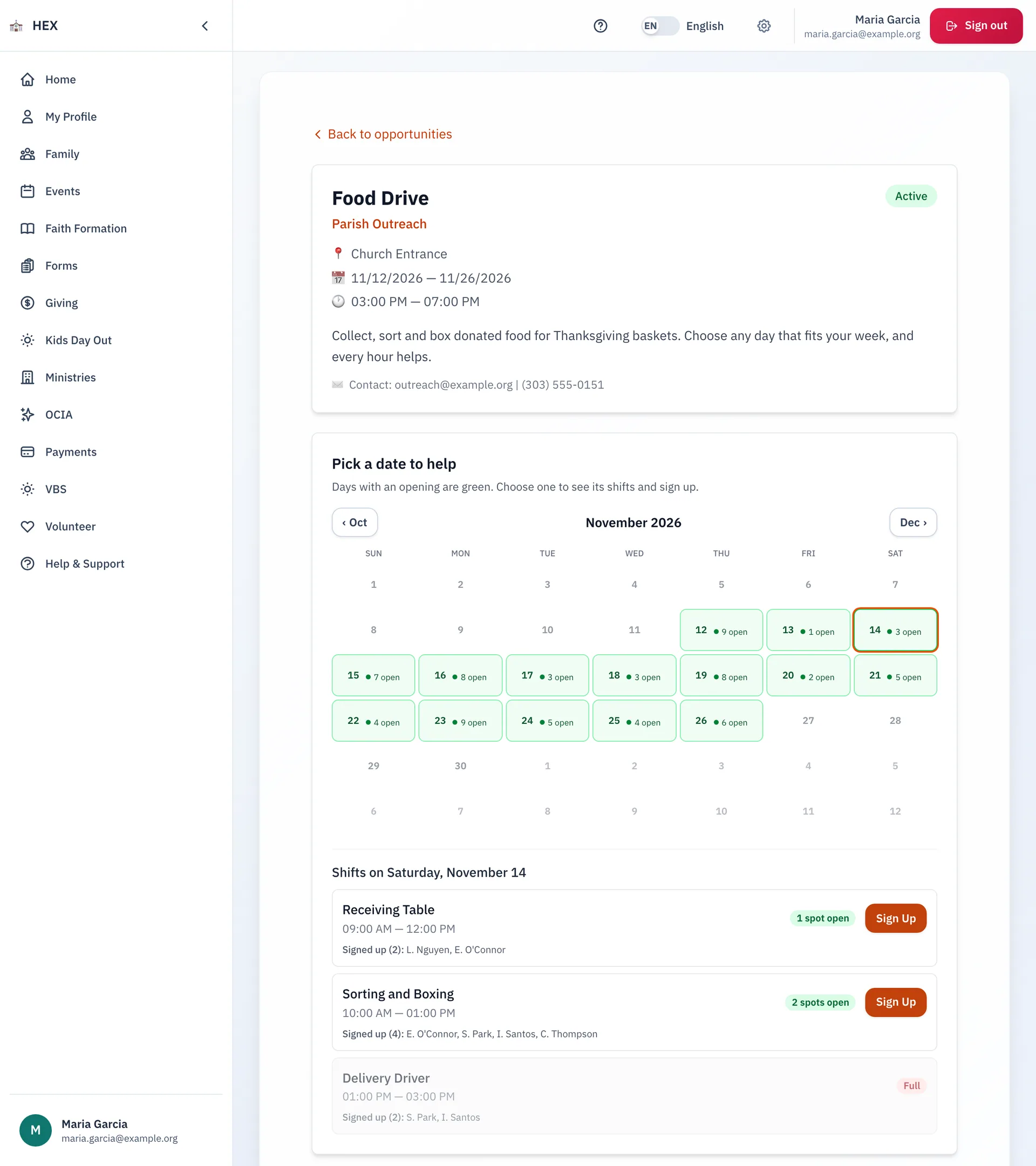
Pick a date and sign up
- A calendar shows which days still have room. Days with an opening are green.
- Choose a shift. See who else signed up, and how many spots are open. A full shift says so.
- Add a note, for example that you will bring your child to help.
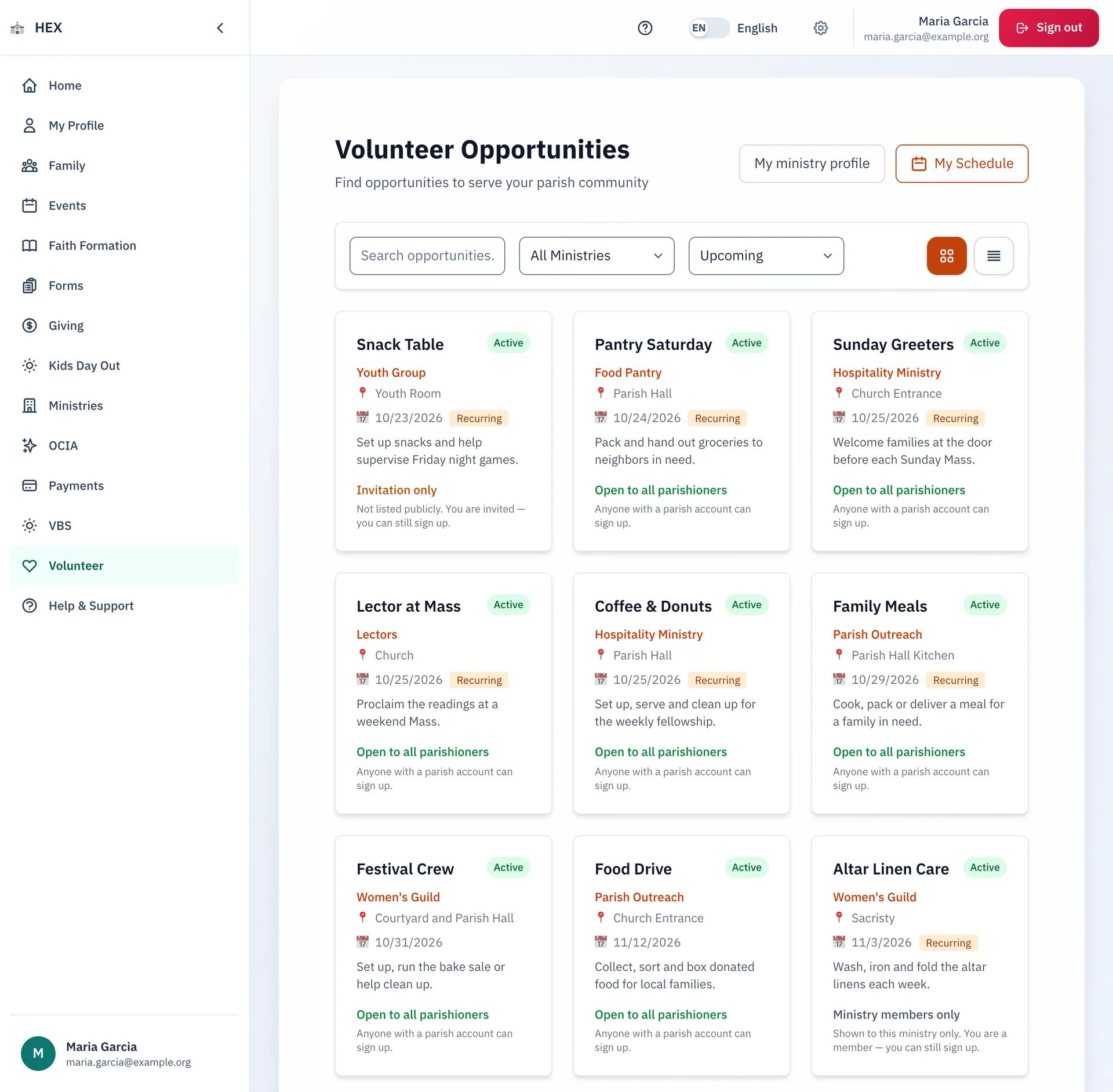
Find a way to serve
- Search the opportunities, and filter by ministry or by date.
- Each card shows the ministry, the place, the date, and who may sign up: everyone, ministry members or by invitation.
- Switch between a grid and a list.
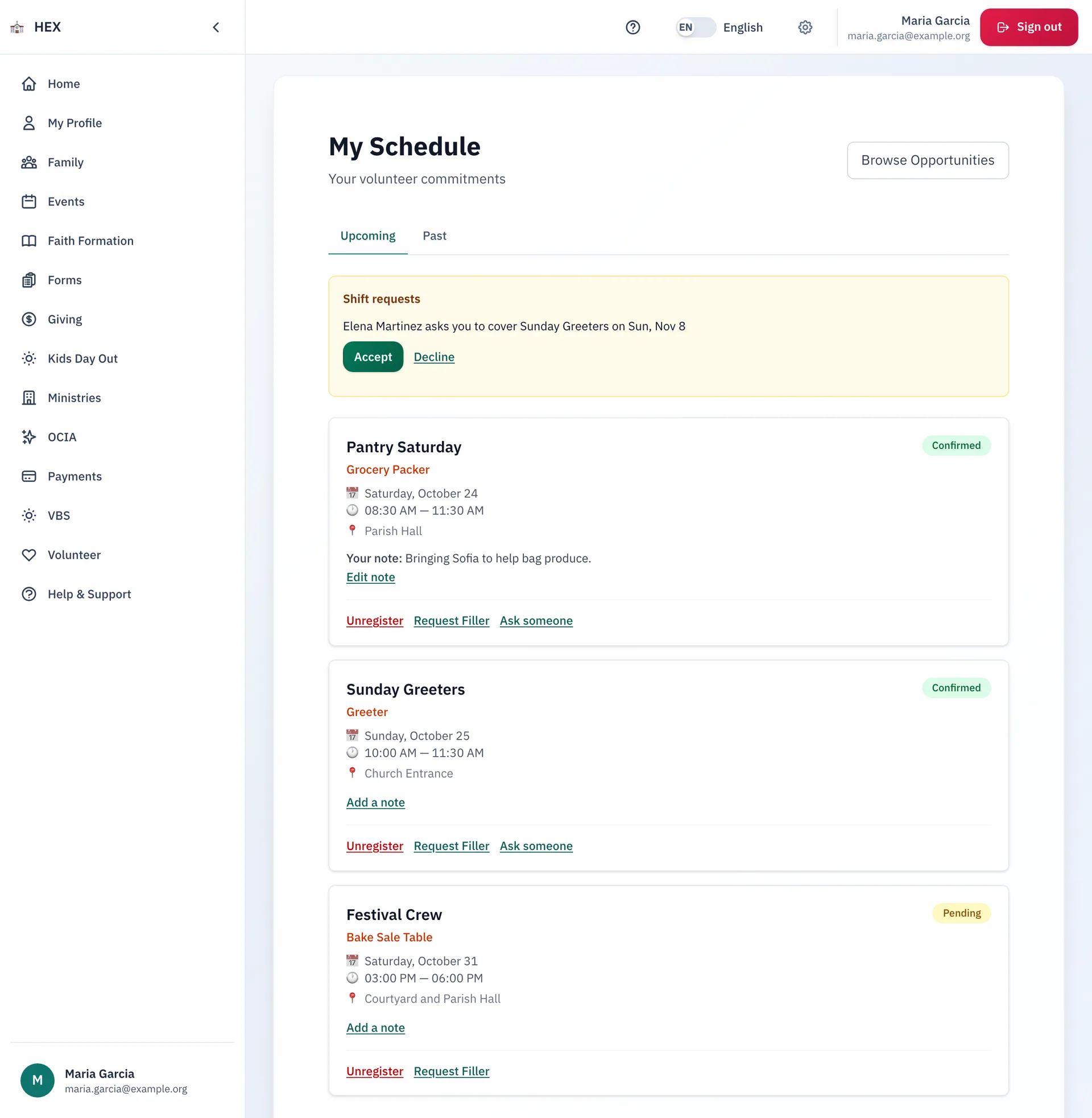
Your schedule in one place
- See your upcoming and past shifts, and edit your notes.
- Ask someone to cover a shift, or request a filler. Accept or decline when a friend asks you.
- Check in on shift day, or unregister if your plans change.
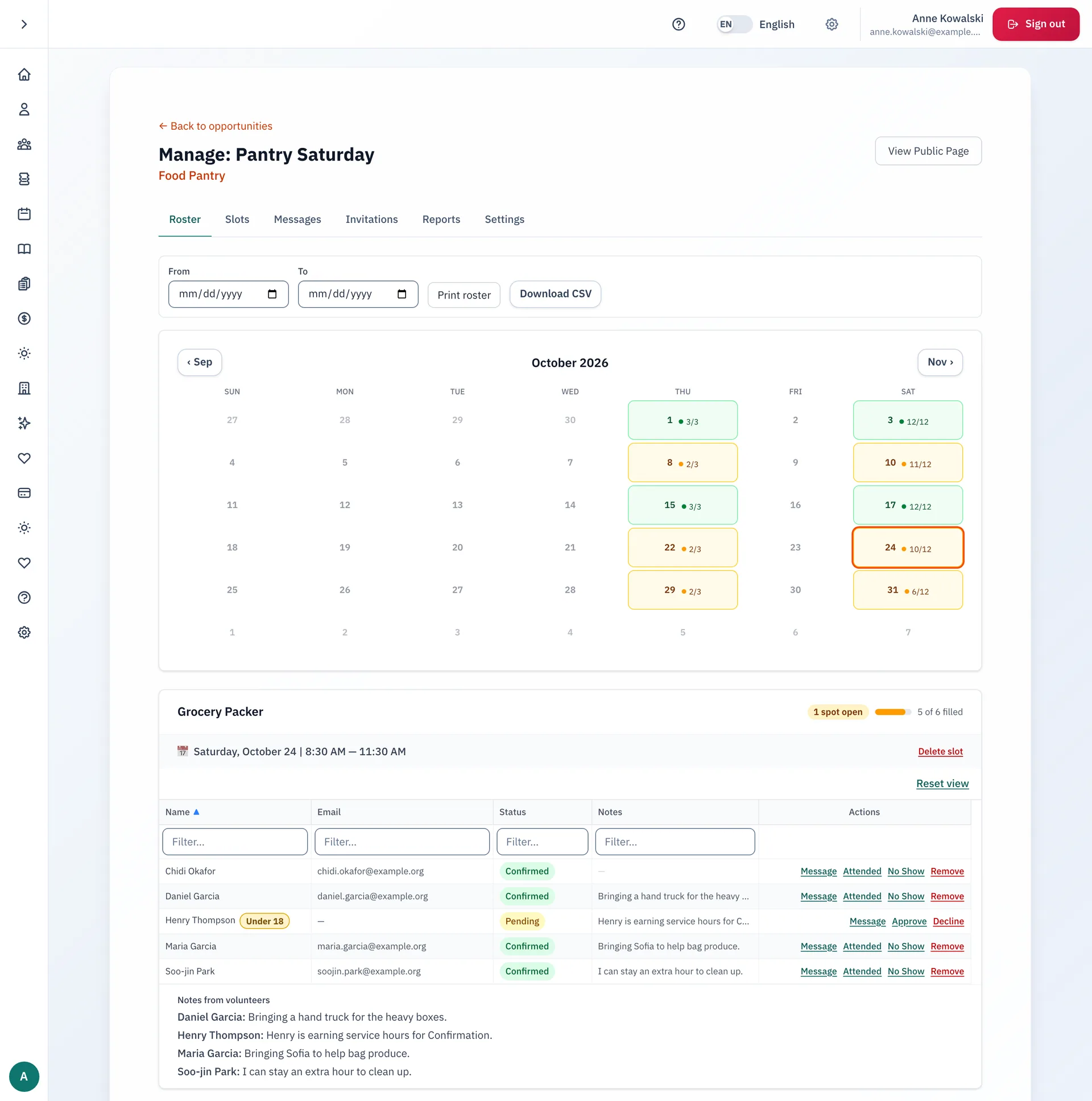
What coordinators can do
- Publish an opportunity with a seven-step wizard, and set its slots.
- Watch each day fill on a coverage calendar.
- Mark who attended and who did not show. Approve or decline a sign-up. A flag marks volunteers who are under 18.
- Read notes from volunteers, message a person or a whole shift, and send invitations.
- Print a roster, or download it as a spreadsheet.
Step-by-step guides
- Finding a volunteer opportunity
- Signing up for a volunteer shift
- Managing your volunteer shifts
- Setting your ministry preferences and swapping shifts
- Creating a volunteer opportunity
The guides are on the docs site.
See Volunteer at your parish.
Email us and we will show you how it would work for your parish.