Modules / Connect and support
Help & Support
A help desk inside the app, with replies you can follow.
- Families
- Parish office
When something goes wrong, a family needs a way to say so. Help & Support is built into the app. The request reaches the parish, and the answer comes back to the family.
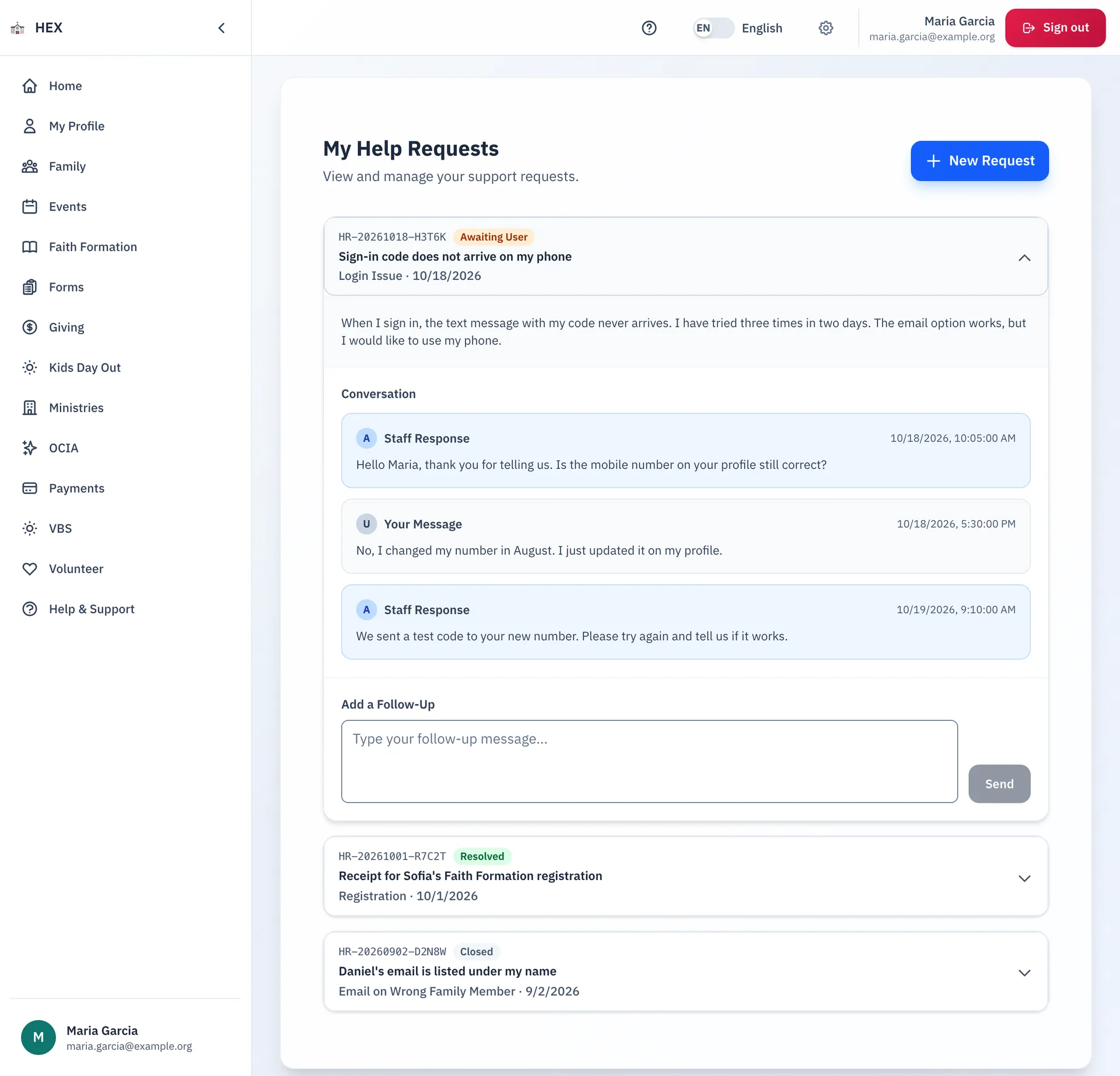
Ask for help, signed in or not
- Pick one of seven topics, such as a login issue, a missing family member or registration.
- Write a subject and a description.
- Receive a tracking number by email. Use it with your email address to check the request later.
- A parent who cannot sign in can still ask for help.
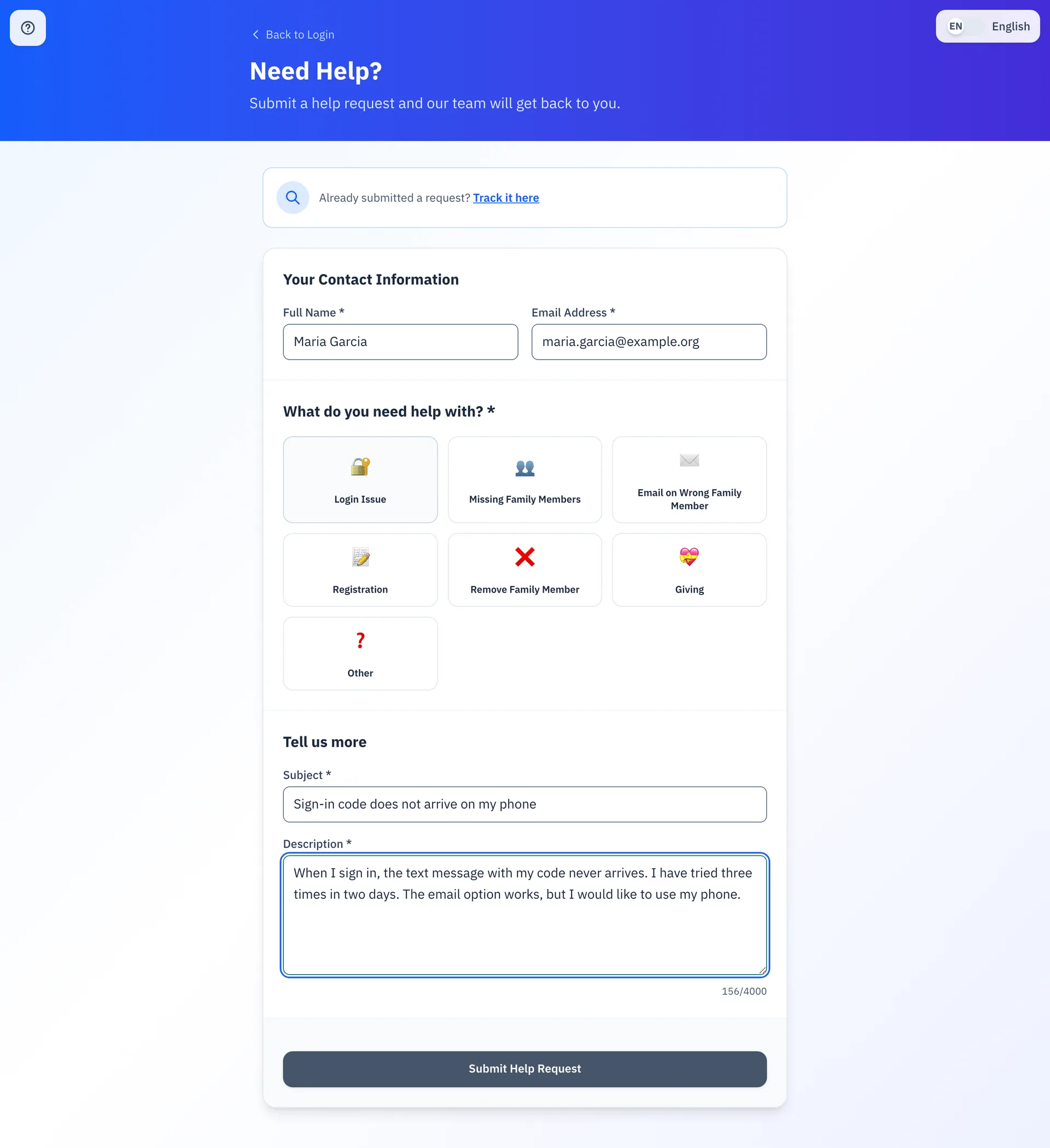
Follow the answer
- Open My Help Requests to see each request and its status: new, in progress, waiting for your reply, resolved or closed.
- Read the parish's reply, and send a follow-up in the same place.
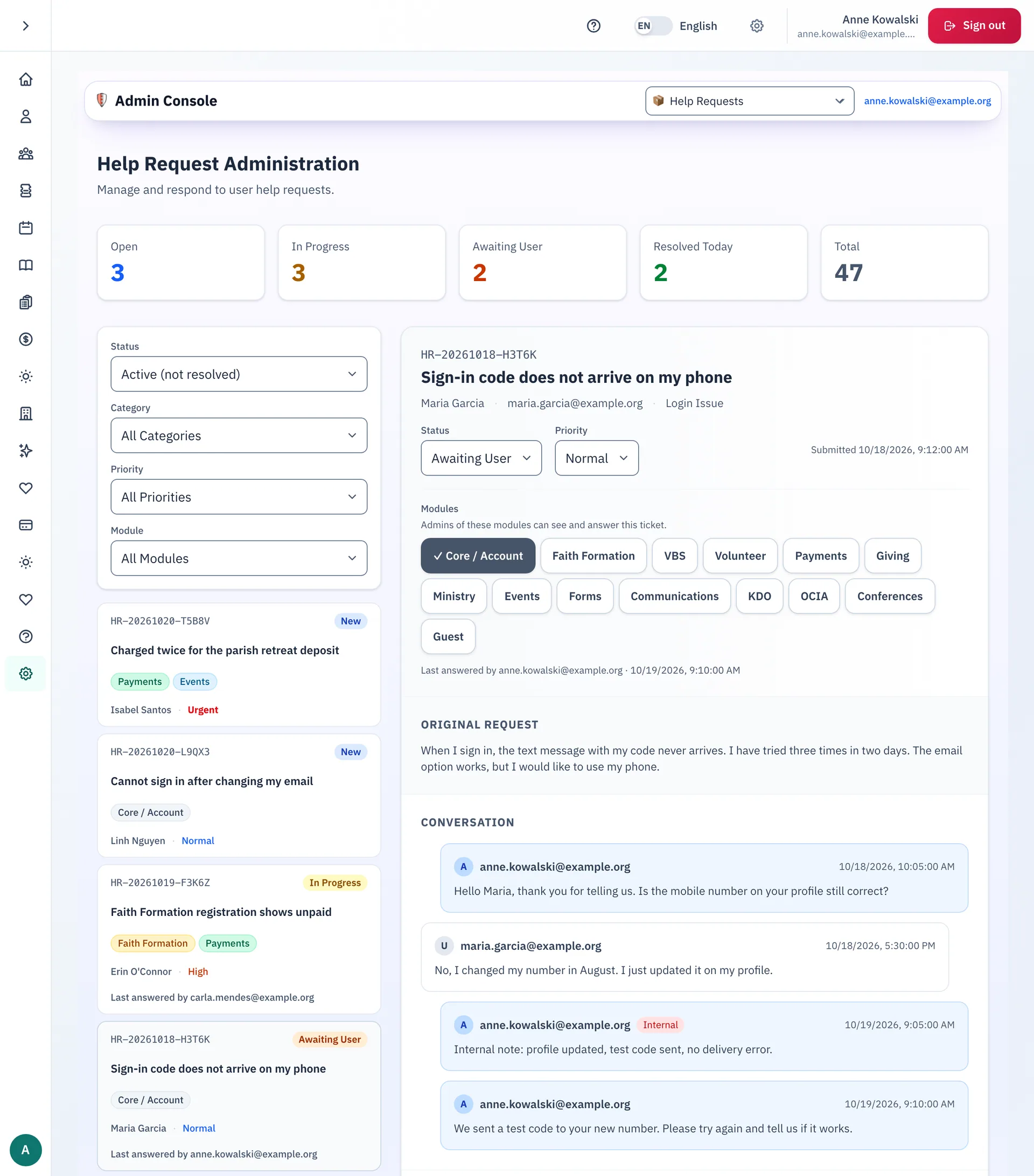
What staff can do
- Work a queue with a count for each status.
- Filter by status, category, priority and module.
- Set the status and the priority of each request.
- Reply to the family, or leave an internal note that the family cannot read.
- Tag each request with one or more modules. The admins of those modules can see and answer it.
- A request that waits for the family's answer closes by itself after a short wait. Staff can reopen it.
Step-by-step guides
- Submitting a help request
- Viewing and replying to your help requests
- Checking on a help request you already sent
- The daily auto-close
The guides are on the docs site.
See Help & Support at your parish.
Email us and we will show you how it would work for your parish.